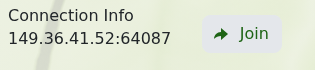
Miscreated 运行后,服务页面会显示游戏地址和“加入”按钮。
- 打开 Miscreated 服务并等待其状态显示为 运行中。
- 找到 连接信息,然后点击 加入。
- 当浏览器提示时,允许 Steam 打开 Miscreated。
您也可以在 Miscreated 的服务器浏览器中搜索服务器名称。如果它没有立即出现,请在启动后等待几分钟,刷新列表,并确认您的游戏和服务器均已更新。
Miscreated 运行后,服务页面会显示游戏地址和“加入”按钮。
您也可以在 Miscreated 的服务器浏览器中搜索服务器名称。如果它没有立即出现,请在启动后等待几分钟,刷新列表,并确认您的游戏和服务器均已更新。
