服务器名称是根目录 DSSettings.txt 文件中的 SessionName 值。
- 停止服务器并打开 配置文件。
- 点击 文本编辑器,位于
DSSettings.txt旁边。 - 仅更改
SessionName后引号之间的文本。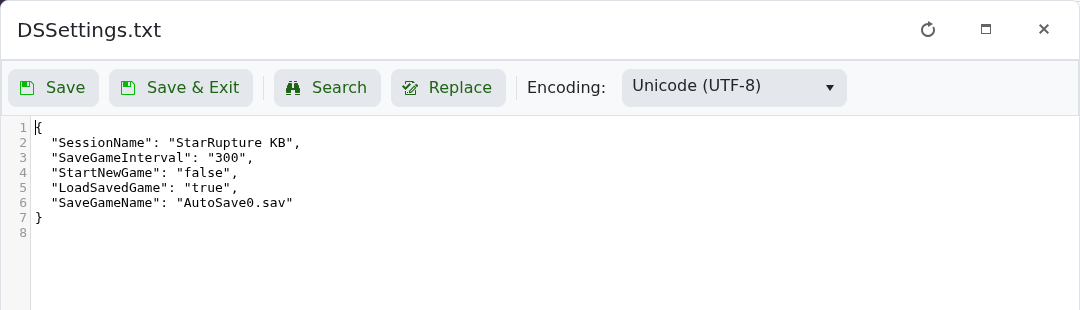
- 点击 保存并退出 并启动服务器。
该文件使用 JSON 格式。请保持引号、逗号和大括号不变,否则服务器可能无法读取设置。
服务器名称是根目录 DSSettings.txt 文件中的 SessionName 值。
DSSettings.txt 旁边。SessionName 后引号之间的文本。
该文件使用 JSON 格式。请保持引号、逗号和大括号不变,否则服务器可能无法读取设置。
