StarRupture 包在基础配置编辑器中暴露了 SaveGameInterval。其默认值为 300。
- 停止服务器并打开 配置文件。
- 点击位于
DSSettings.txt旁的 配置编辑器。 - 更改 SaveGameInterval,然后点击 保存并退出。
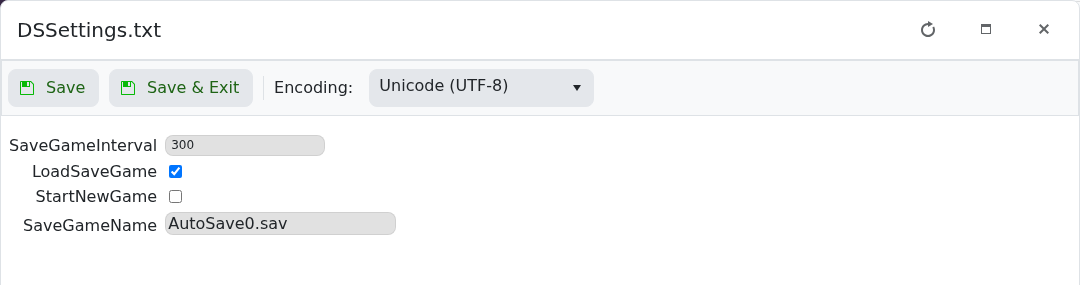
- 启动服务器并确保其保持运行。
逐步更改该值并定期备份。过于频繁的保存会增加磁盘活动。
StarRupture 包在基础配置编辑器中暴露了 SaveGameInterval。其默认值为 300。
DSSettings.txt 旁的 配置编辑器。
逐步更改该值并定期备份。过于频繁的保存会增加磁盘活动。
