游戏规则保存在 SandboxSettings.ini 中。TCAdmin 直接打开当前文件,其中包含解释每个选项的注释。
- 停止服务器并打开 配置文件。
- 在
SandboxSettings.ini旁点击 文本编辑器。 - 仅更改你需要的值。保持文件顶部的
[SandboxSettings]行不变。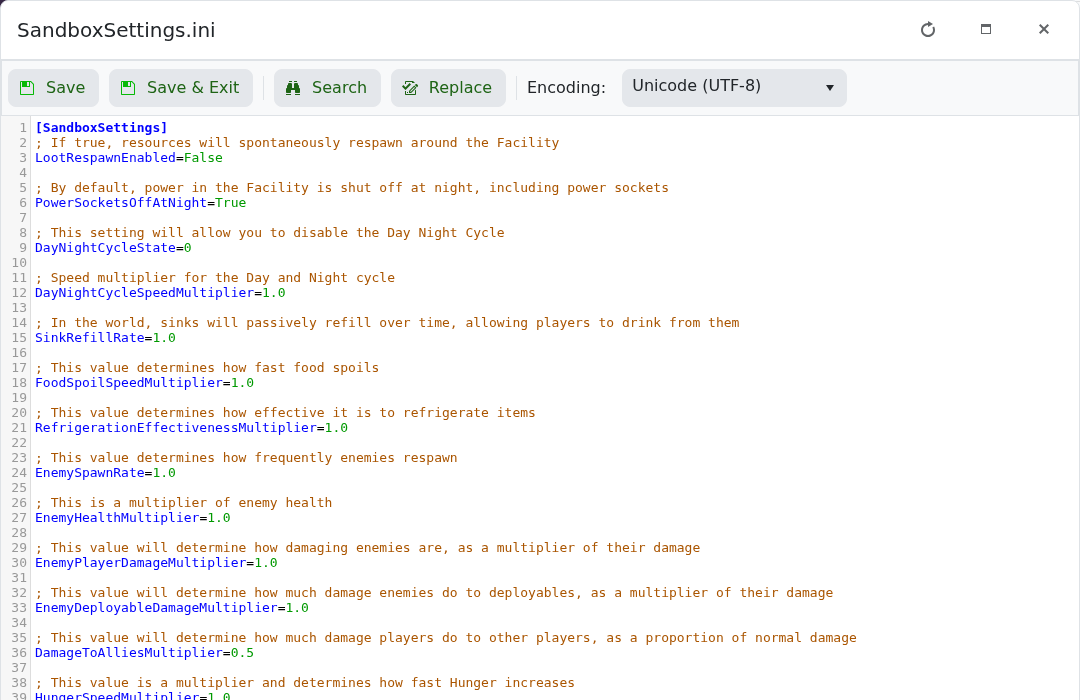
- 点击 保存并退出,然后启动服务器。
布尔选项使用 True 或 False。倍数通常以 1.0 为标准值;较低或较高的数字会改变上方注释中描述的效果。
保留单独副本:在编辑之前下载
Saved/Config/WindowsServer/SandboxSettings.ini。一次测试过的面板还原恢复了服务器归档,但未替换该配置文件。