当前的 Foundry 运行时日志是 saved/Player.log。TCAdmin 也会通过 Log Viewer 显示最近的控制台输出。
- 重现问题一次并记录时间。
- 打开 More 并选择 Log Viewer,或打开 File Manager 并浏览到
saved/Player.log。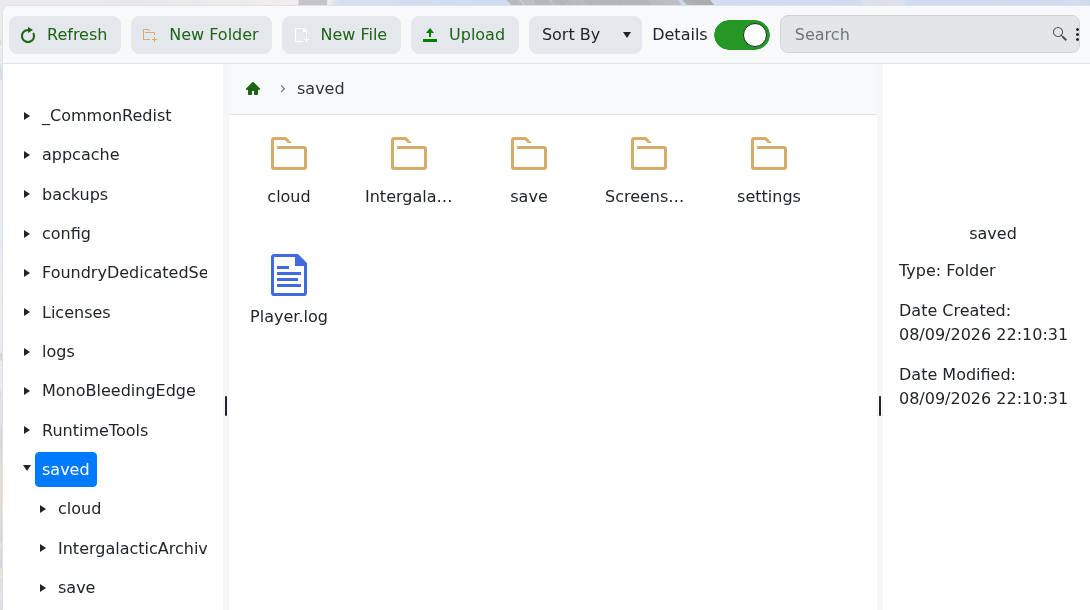
- 从最近一次服务器启动开始,找到第一个错误,而不是只看最后重复的消息。
对于连接问题,确认服务已达到 Running 状态,并将玩家的地址与 Connection Info 进行比较。对于无法加载的世界,检查 server_world_name 以及 saved/save 下的文件夹。联系支持时包含相关的日志行和最后所做的更改。
