如何检查 Sons of the Forest 服务器日志

列印
  • 0

当服务器无法启动、在独立浏览器中消失或报告配置无效时,请先打开 TCAdmin 的 Log Viewer

  1. 重现一次问题并记录时间。
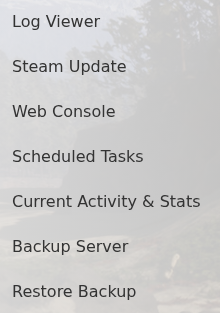
  2. 打开服务并点击 Log Viewer

    Sons of the Forest Log Viewer, Steam Update, Backup Server and Restore Backup actions in TCAdmin

  3. 查找最近一次启动时的第一个错误。JSON 错误通常指示 dedicatedserver.cfg 中缺少引号、逗号或大括号。

要保留单独的游戏日志文件,请将 LogFilesEnabled 设置为 true。启用 TimestampLogFilenames 后,每次启动都会在 server user-data log folder 中创建一个带日期的 sotf_log 文件。仅在短期诊断运行中启用详细日志记录,因为它会增加日志大小。


這篇文章有幫助嗎?

相關文章

« 返回

Follow us on Social Media

Stay in the loop! Follow our social media accounts and stay up-to-date with the latest news, announcements, tips & tricks and behind-the-scenes insights!