使用 TCAdmin 中 Connection Info 下的游戏地址加入你的 Nightingale 服务器。Query、RCON 和 FTP 端口用于其他用途。
- 在 TCAdmin 中打开你的 Nightingale 服务并启动。等待启动完成。
- 复制 Connection Info 下的 IP 地址和端口。
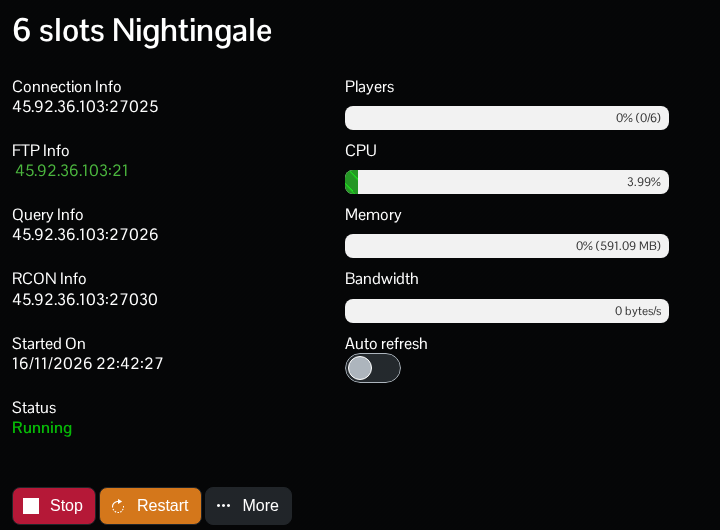
- 启动 Nightingale,选择 Play,然后选择要使用的角色。
- 选择 Join a Game,然后选择 IP/LAN。
- 输入服务器的游戏地址和端口,连接服务器;如果设置了加入密码,请输入该密码。
请使用分配给你服务的端口,不要默认使用 7777。请与服务器保持同步,及时更新你的 Nightingale 客户端。
在第一位玩家连接到新服务器之前,请决定要迁移哪些人的 realms。Nightingale 可以将第一位玩家的 realms 导入一台未使用的专用服务器。开发者在其专用服务器说明中对此作了介绍。
