如果服务器的第一张地图不是由导入的角色提供,StartingDifficulty 就会决定该地图的难度。请在有人加入新服务器之前设置此项。
- 停止 Nightingale 服务器,并等待显示 Stopped。
- 打开 Configuration Files,然后选择
ServerSettings.ini旁边的 Text Editor。 - 在
[/Script/NWX.NWXServerSettings]下找到StartingDifficulty,并输入easy、medium、hard或extreme。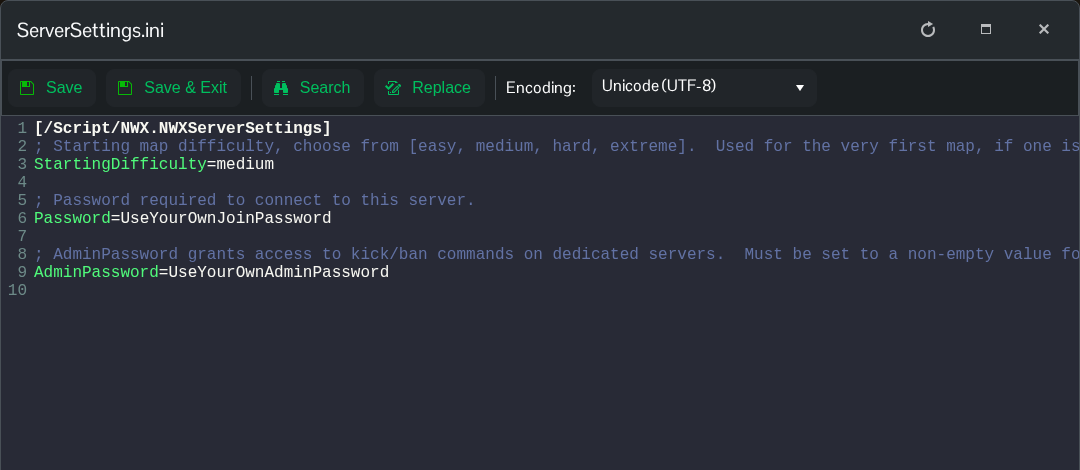
- 点击 Save & Exit,然后启动服务器。
StartingDifficulty=medium请使用 Text Editor 设置此项,并检查保存后的行。当前 Config Editor 下拉菜单中保留的选项可能与写入文件的值不同。
更改初始难度不会重置现有的 realm,也不会重新生成已建立的服务器。导入角色的 realms 时,也可能会一并提供第一张地图,因此无法通过此设置更改该导入地图的难度。
