使用当前游戏日志检查 Myth of Empires 何时完成世界加载。在此之前,面板可能会显示 Running。
- 在游戏控制面板中打开 Myth of Empires 服务。如果服务已停止,请启动它。
- 打开 Log Viewer,找到当前日志,例如
100.log。检查修改时间和文件大小,确保查看的是最近一次启动的日志,而不是空的 Console 条目。点击日志旁边的 Stream File。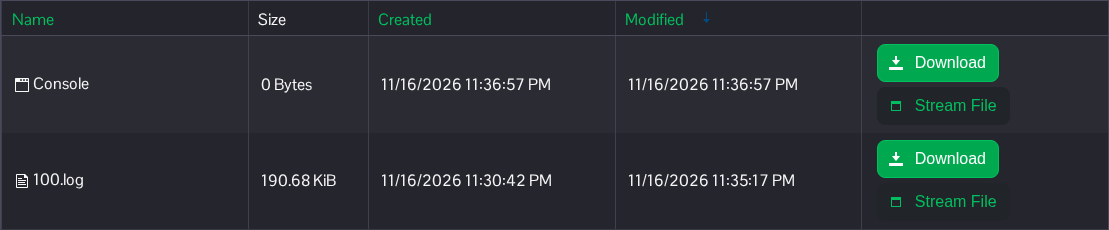
- 在本次启动日志中查找以下消息。ServerId 应与为此世界选择的 SaveID 相符。
ServerId=100, ServerState=EGameServerState::SERVER_STATE_OPENED - 如果尚未出现该行,请让启动过程继续,然后刷新流以查看最新消息。再次重启前,请先查看当前启动过程中报告的任何错误。
当前日志显示 SERVER_STATE_OPENED 时,世界便已加载完成,玩家可以尝试加入。
