在当前的世界设置中调整游戏初始时间和时间流逝速度。
- 在游戏面板中打开你的 SCUM 服务。点击 Stop,并等待显示 Stopped。
- 打开 Configuration Files,然后点击
ServerSettings.ini旁边的 Text Editor。编辑下方所示部分中的现有键。 - 编辑
[World]下的现有键。本示例将时钟初始时间设为10:00:00,将速度值设为2.000000。[World] scum.StartTimeOfDay=10:00:00 scum.TimeOfDaySpeed=2.000000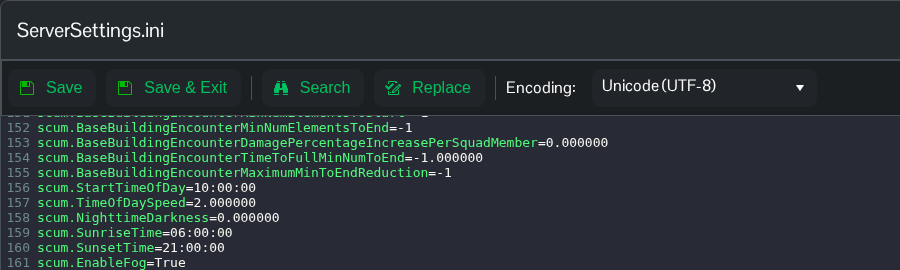
- 点击 Save & Exit,返回你的服务,然后点击 Start。
请使用 Text Editor 编辑此文件。Config Editor 使用较旧的模板,可能会移除较新的设置。你也可以通过 File Manager 或 FTP 编辑 SCUM/Saved/Config/WindowsServer/ServerSettings.ini。
请保持时钟值为 HH:MM:SS 格式。更改速度前,请记录原来的速度,以便恢复原有的周期。
