Rust没有用于采集率的常规server.cfg设置。安装uMod并使用Gather Manager插件,当您想要2倍、3倍、5倍或自定义采集率时。
- 如果尚未安装uMod,请安装:如何在Rust服务器上安装UMod。
- 打开Rust插件。
- 搜索
Gather Manager,打开插件结果,然后安装它。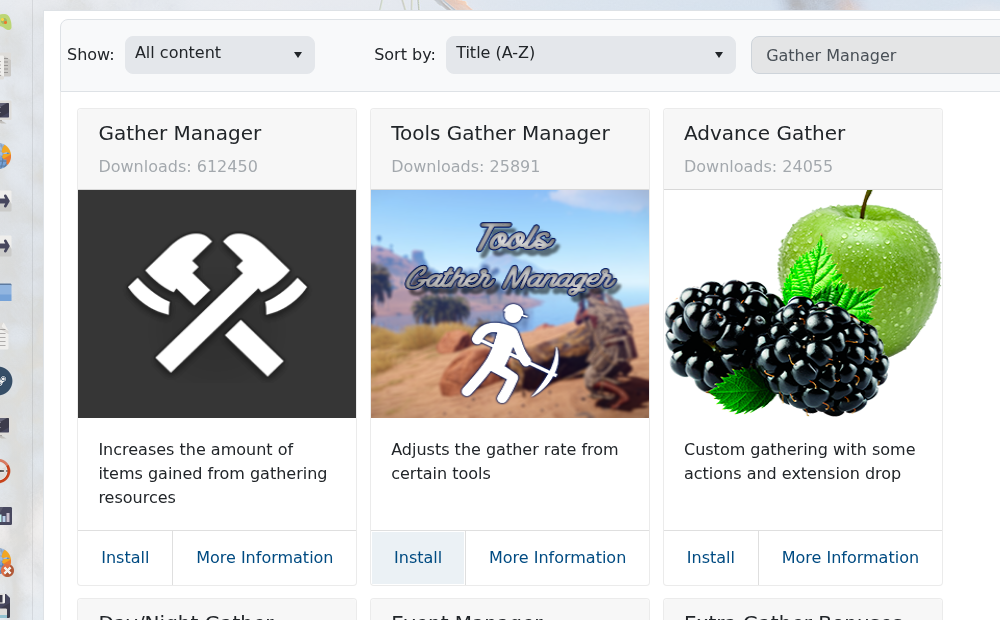
- 启动服务器并等待Gather Manager加载。
- 打开Web控制台。
- 运行这些命令以获得常见的
2x采集率:gather.rate dispenser * 2\ngather.rate pickup * 2\ngather.rate quarry * 2\ngather.rate survey * 2
- 使用直接资源命令针对特定资源:
gather.rate dispenser Wood 3\ngather.rate dispenser Stones 3\ngather.rate pickup Sulfur 2\ngather.rate quarry "Sulfur Ore" 2
- 如果您希望树木或矿石节点包含更多资源,请使用分配器比例:
dispenser.scale tree 2\ndispenser.scale ore 2
- Gather Manager将设置存储在
oxide/config/GatherManager.json中,如果您更喜欢直接编辑配置文件。
您不需要单独的Gather Manager安装指南;本文涵盖了插件的安装和采集率的设置。
