SteamCMD 是 Valve 的命令行工具,用于下载和更新 Steam 专用服务器文件。当游戏提供 Linux 专用服务器版本时,可以在 Linux VPS 上使用它。
首先通过 SSH 连接,然后使用与您的 Linux 发行版匹配的方法安装 SteamCMD。如果游戏仅提供 Windows 服务器版本,请改用 Windows VPS。
- 通过 SSH 连接到 VPS:如何通过 SSH 连接到 Linux VPS。
- 在 Ubuntu 或 Debian 上,启用 32 位包支持并安装 SteamCMD:
sudo dpkg --add-architecture i386
sudo apt update
sudo apt install steamcmd
- 如果 Ubuntu 提示找不到包,启用
multiverse,更新包列表,然后再次安装:sudo add-apt-repository multiverse sudo apt update sudo apt install steamcmd
- 在 Debian 上,确保存储库行包含
contrib和non-free或non-free-firmware,然后再次运行sudo apt update。 - 在 AlmaLinux、Rocky Linux、Oracle Linux 或 CentOS 风格的镜像上,使用手动 Valve 存档方法,因为 SteamCMD 通常在默认
dnf存储库中不可用。
手动安装方法
- 安装基本工具:
sudo mkdir -p /opt/steamcmd
cd /opt/steamcmd
- 下载并解压 SteamCMD:
sudo curl -o steamcmd_linux.tar.gz https://steamcdn-a.akamaihd.net/client/installer/steamcmd_linux.tar.gz
sudo tar -xvzf steamcmd_linux.tar.gz
- 从文件夹中运行 SteamCMD:
cd /opt/steamcmd
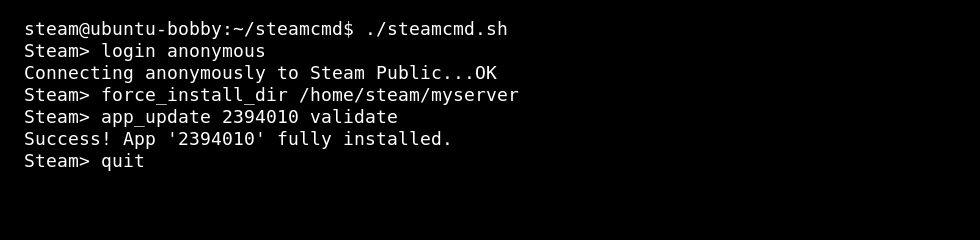
./steamcmd.sh
- 通过替换
APPID为游戏服务器应用 ID 来安装专用服务器:login anonymous force_install_dir /home/steam/myserver app_update APPID validate quit
某些游戏需要使用 Steam 账户登录而不是匿名登录。在假设匿名登录有效之前,请检查游戏专用服务器文档。
