如果您的 SSH 会话关闭,长时间运行的命令将停止,除非它们由服务或终端复用器管理。screen 和 tmux 允许您从命令中分离并稍后重新连接。
这对于临时任务、测试服务器、仅限控制台的安装程序和一次性维护非常有用。对于生产游戏服务器,通常更好地使用适当的 systemd 服务。
安装 screen 或 tmux
在 Ubuntu 或 Debian 上:
sudo apt update
sudo apt install screen tmux
在 AlmaLinux、Rocky Linux、Oracle Linux 或 CentOS 上:
sudo dnf install screen tmux
如果在旧版本中 dnf 不可用,请改用 yum。
使用 screen
- 创建一个命名会话:
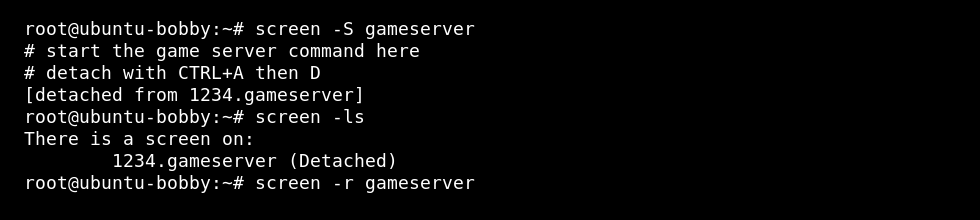
screen -S gameserver
- 在 screen 会话中启动您的命令。
- 使用 CTRL + A,然后 D 分离。
- 列出会话:
screen -ls
- 稍后重新连接:
screen -r gameserver
使用 tmux
tmux new -s gameserver
使用 CTRL + B,然后 D 分离。重新连接:
tmux attach -t gameserver
有用的会话命令
| 命令 | 用途 |
|---|---|
screen -ls | 列出 screen 会话。 |
screen -r name | 重新连接到 screen 会话。 |
tmux ls | 列出 tmux 会话。 |
tmux attach -t name | 重新连接到 tmux 会话。 |
何时不使用 screen 或 tmux
如果命令需要在重启后自动启动,请使用 systemd 服务。对于 Minecraft,请参阅 如何在 Linux VPS 上将 Minecraft 服务器作为 systemd 服务运行。
