Space Engineers stores server passwords as a password hash and salt in SpaceEngineers-Dedicated.cfg. If your control panel does not expose a plain password field, do not paste a normal password directly into the config file.
Recommended Method
- Open a support request and include the password you want to use: submit a support ticket.
- We can set the correct Space Engineers password hash and salt for you.
- After the password is set, restart the server and test joining.
Manual Hash Method
- Install the Space Engineers Dedicated Server tool through Steam on your own PC.
- Run it as administrator, then choose the local/console server configuration option.
- Enter the password you want in the password field and save the configuration.
- Open the generated config and copy the values from
<ServerPasswordHash>and<ServerPasswordSalt>. - In the control panel, click Configuration Files, then open
worlds\SpaceEngineers-Dedicated.cfgwith Text Editor.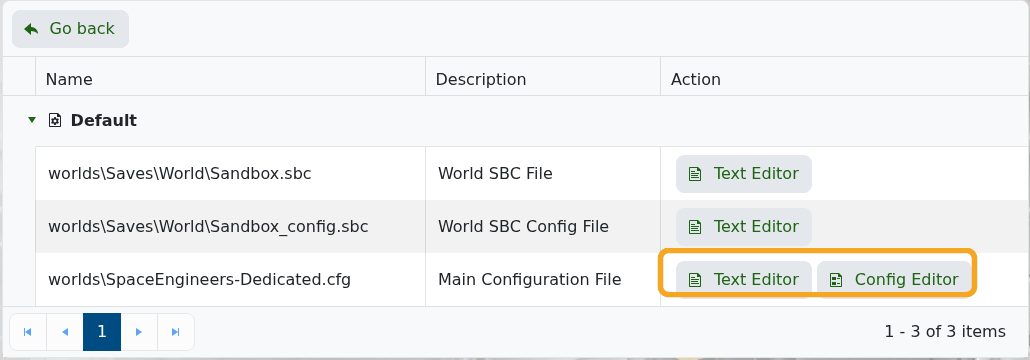
- Replace the existing
ServerPasswordHashandServerPasswordSaltvalues with the generated values. - Click Save & Exit, then restart the server.
If the server does not accept the password after restart, restore the previous config or submit a support ticket and include the two password fields you changed.
