Blackwake provides its supported game modes as a dropdown in the main Config Editor, so you do not need to edit the numeric gamemode value manually.
- Open the service and stop the server.
- Open Configuration Files and select the
server.cfgConfig Editor. - Choose the required option from Gamemode. The current editor offers 1v1 and 2v2 Hoy, 1v1 and 2v2 Galleon, Fleet, Capture the Booty and Treasure Trade.
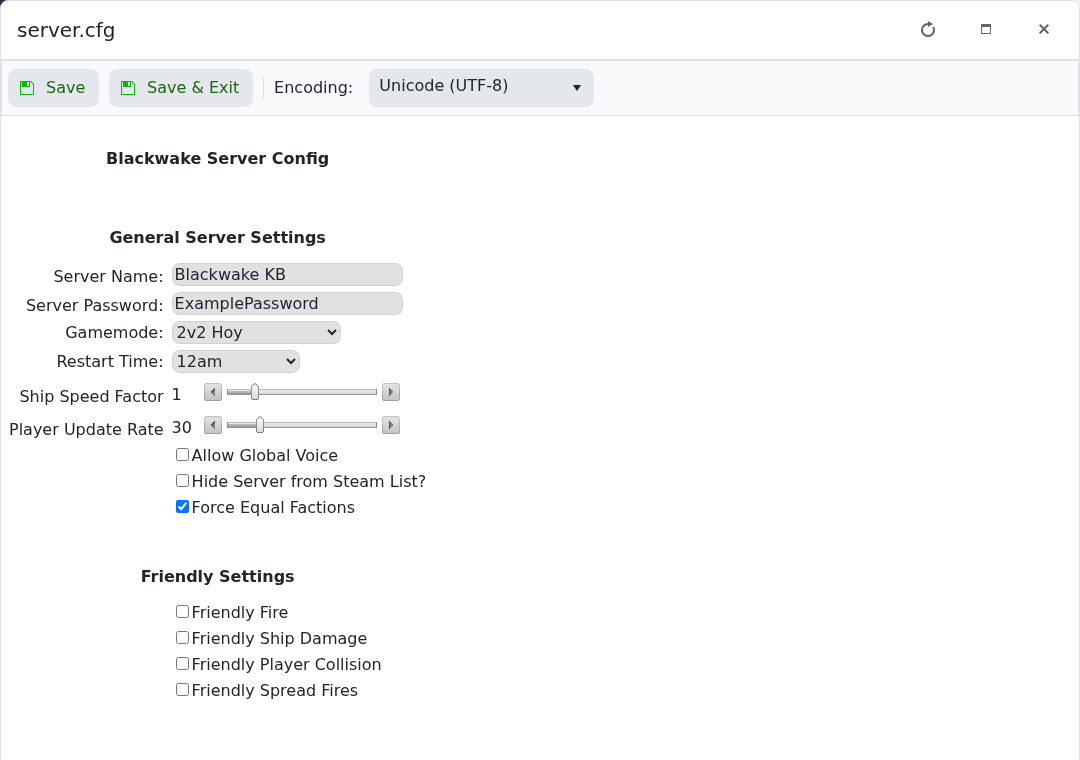
- Click Save & Exit and start the server.
Changing mode interrupts the current match. Warn players first and confirm the new mode after the restart.
