Blackwake's Config Editor includes separate switches for player damage, ship damage, player collision and fire spreading, as well as ship speed and player update rate.
- Take a backup, stop the service and open the
server.cfgConfig Editor. - Tick only the friendly settings you want to enable. Friendly Fire affects players, while Friendly Ship Damage controls damage to allied ships.
- Adjust Ship Speed Factor cautiously;
1is normal speed,0.5is half speed and2is double speed.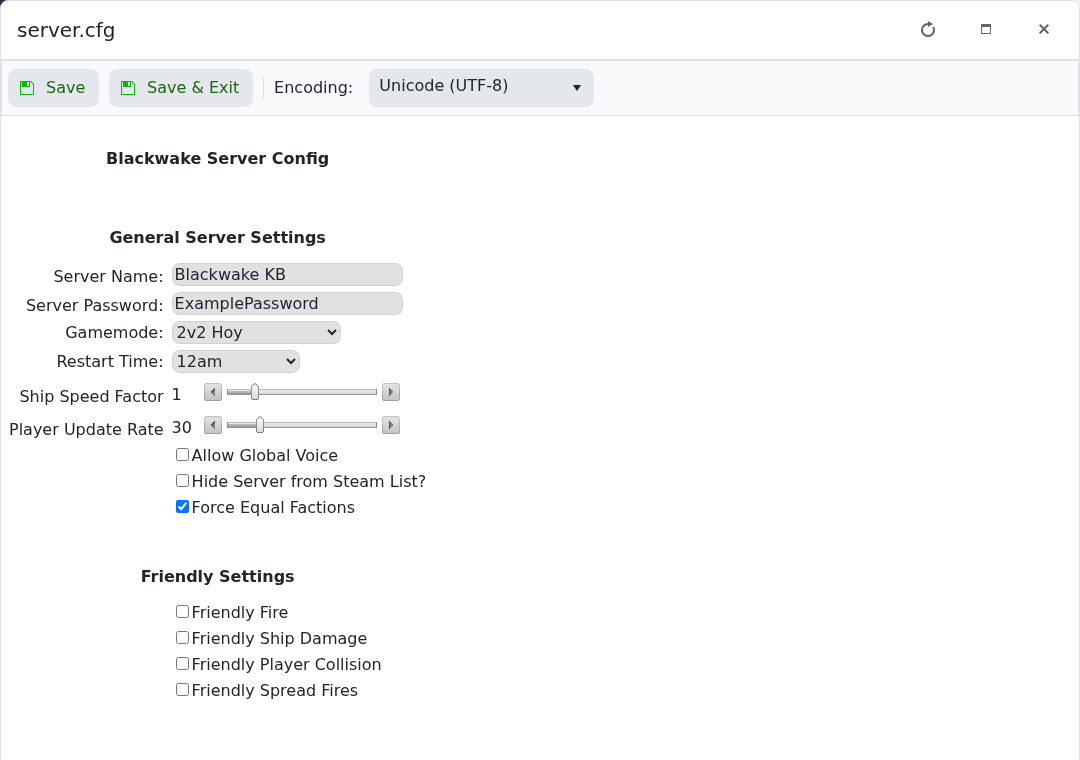
- Click Save & Exit, start the server and test a round.
Higher player update rates use more network traffic. Change one gameplay area at a time so it is clear which value caused any unexpected behaviour.
