How to check your Hurtworld server logs

The Log Viewer contains Hurtworld's game log and, when UMod is installed, its Oxide log. These are the first places to check when a service stops, a plugin fails or a setting is ignored.

  1. Open the Hurtworld service and click Log Viewer.
  2. Stay on Server Logs.
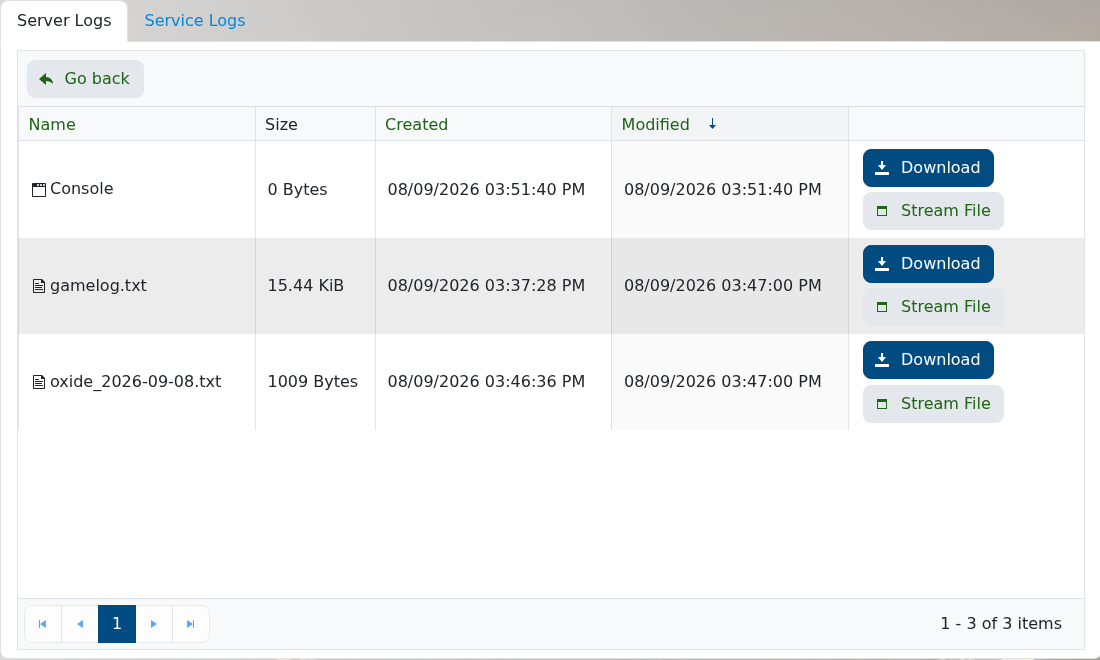
  3. Use Stream File beside gamelog.txt to follow the current game log, or download it for a complete copy.
  4. If UMod is installed, open the dated oxide_YYYY-MM-DD.txt log for framework and plugin errors.

    Hurtworld Log Viewer showing gamelog.txt and a dated Oxide log

Start with the first error after the most recent server start. Later errors are often consequences of that first failure. Do not post logs publicly without checking them for player details, paths or plugin configuration values.

  • 0 Users Found This Useful
Was this answer helpful?

Related Articles

How to add yourself as admin on your Hurtworld server

Hurtworld grants administrator access through a player's 17-digit SteamID64. Add the account to...

List of Admin Commands for your Hurtworld Server

These Hurtworld admin commands can be run by authorised admins or through RCON where supported....

How to add mods to your Hurtworld server

Hurtworld Steam Workshop mods are loaded by adding one or more loadmod lines to autoexec.cfg....

Hurtworld Item ID’s

Use this Hurtworld item ID list as a legacy reference when a command or configuration field asks...

How to join your Hurtworld server

Your Hurtworld service page shows the address used to connect and a Join button when the server...