I cannot find my Enshrouded server in game, what can I do?
Sometimes with a new Enshrouded server they do not always show up in the game when you try to search for them. Thankfully there is a workaround for this.
This guide is split into two main sections A and B. Section A is a guide on how to add your server to your Steam Favourites. Section B then guides you through how to join the server.
Before you start this guide make sure you follow our other guide on how to UPDATE YOUR ENSHROUDED SERVER.
Your server will need to be up to date to be able to see it an join.
SECTION A. Adding your new server to your Steam Game Server Favourites :
- Login to your TCAdmin Panel
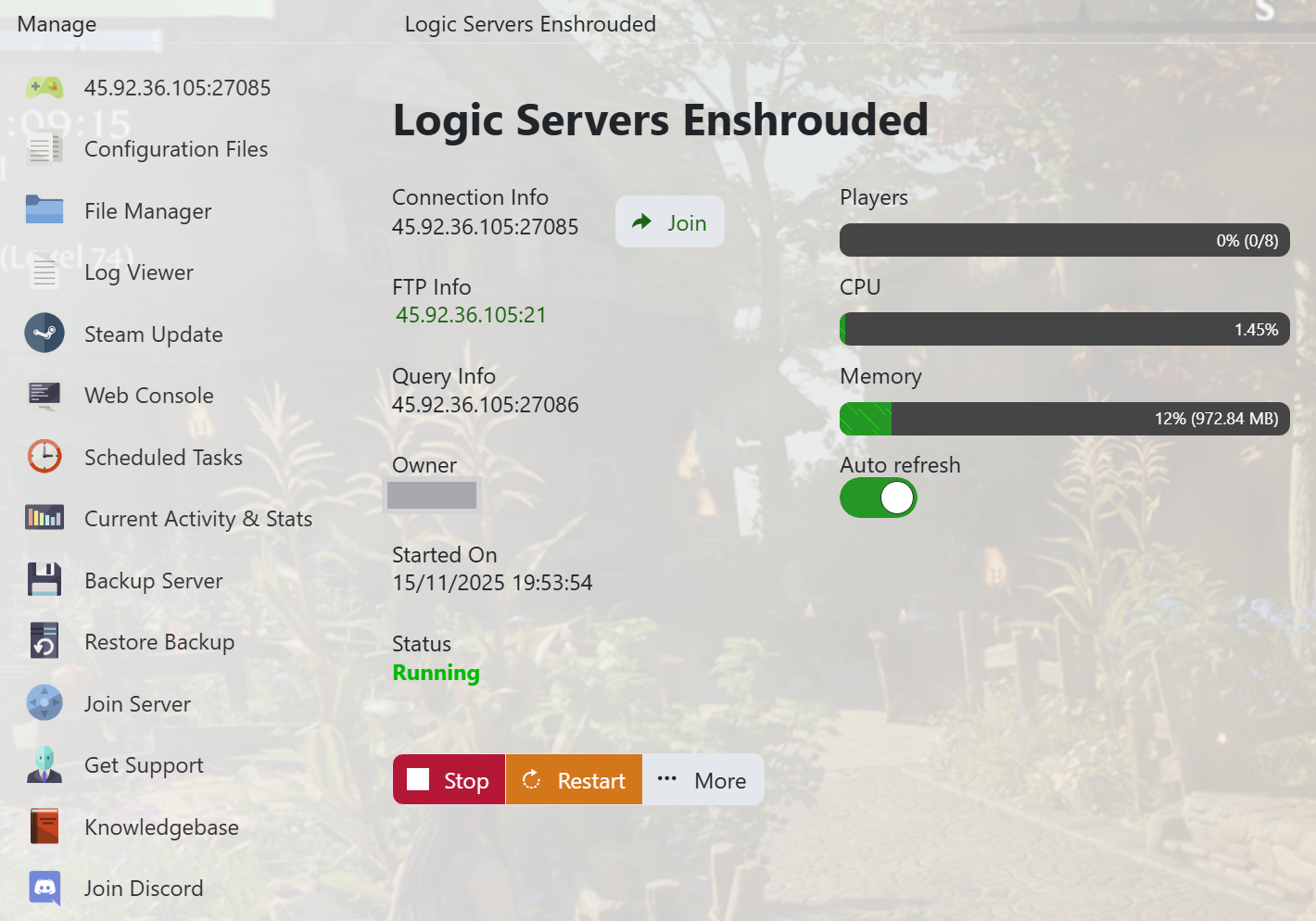
- When you purchased your Enshrouded server with us you will have been sent your login details via email. Use those details to login to your TCAdmin control panel. When you are logged into your panel you will see various options available to you. From here you can control your server.
- If you do not have a server with us you can get one here - https://logicservers.com/game-servers/enshrouded
- Get your servers IP address and port
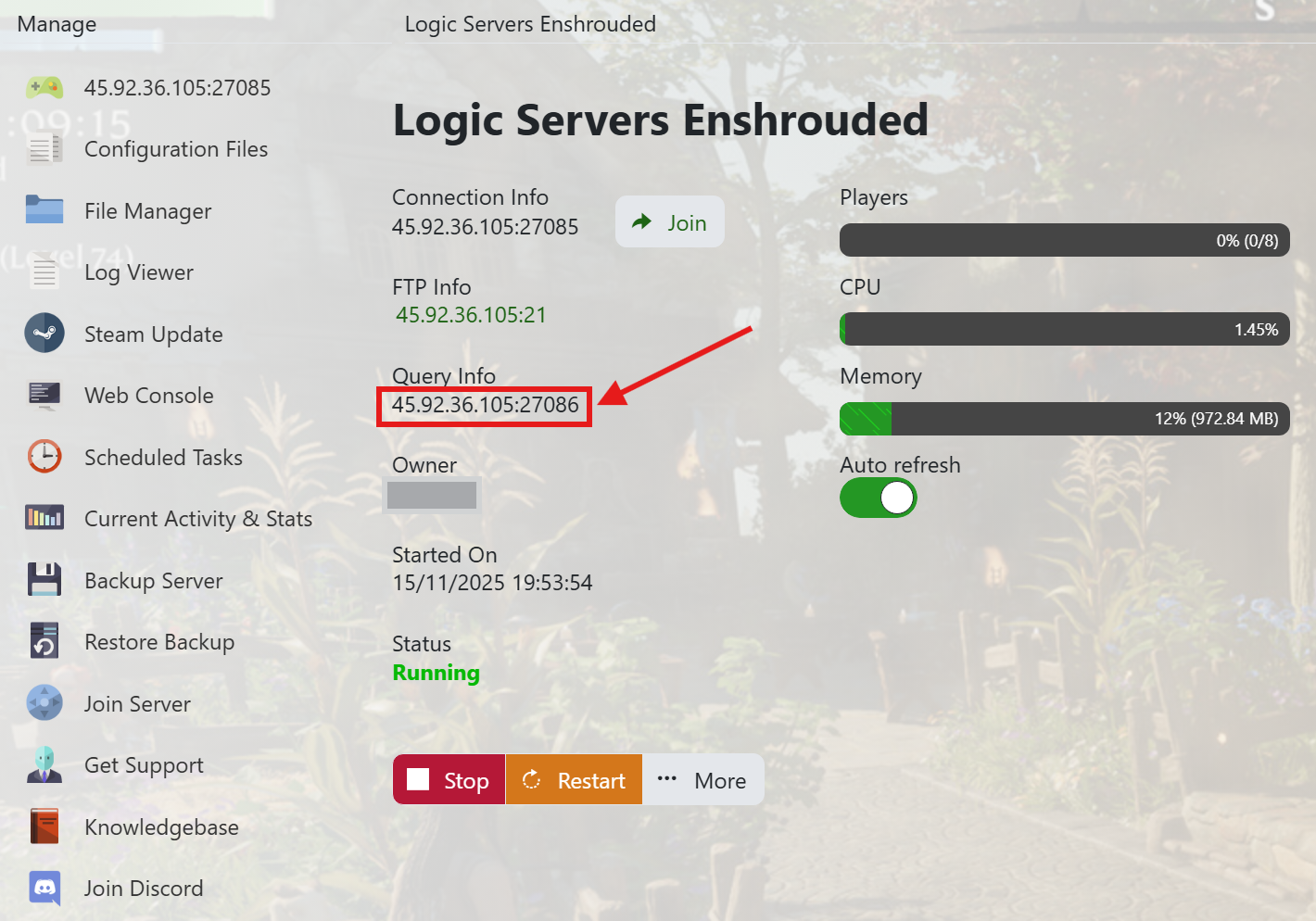
- Make a note of your server's IP address and Query port under Query Info.
- In the example above its 45.92.36.105:27086
- The Query port number will always end in a ‘6’.
3. Go to your Steam Game Servers page
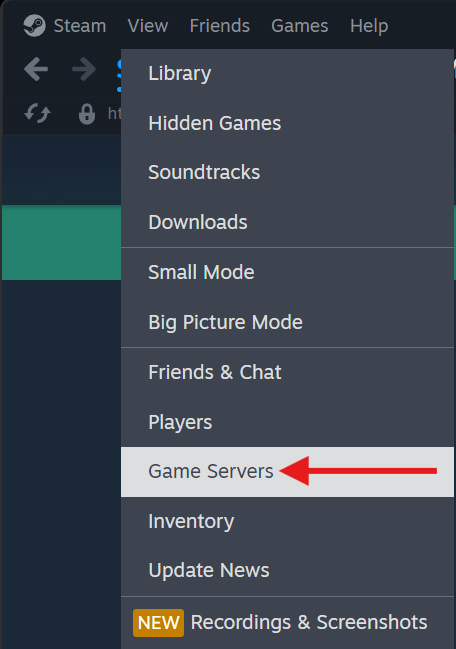
- Before you start you will need to open up Steam.
- Under the ‘VIEW’ menu select ‘GAME SERVERS’ to take you to the game server list page.
4. Add your Server to your Steam Favourites

- Click the + button on the menu
5. Enter your servers IP address and port
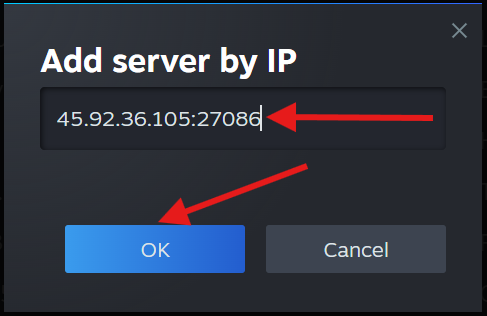
- Enter in your IP address and port you got from your TCadmin panel earlier in this guide.
- Then press the OK button.
- This will add your Enshrouded server to your Steam Server Favourites.
SECTION B. Joining your Server from in game :
1. Open the game from Steam:
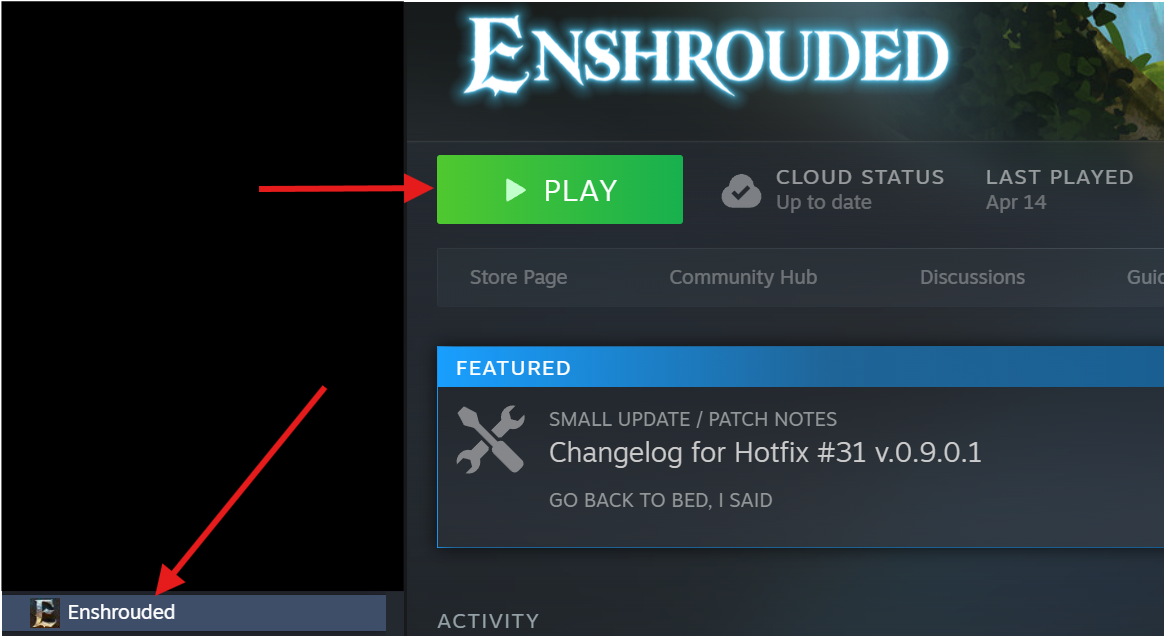
- Open Enshrouded from your Steam Libraries menu.
2. Main Menu:
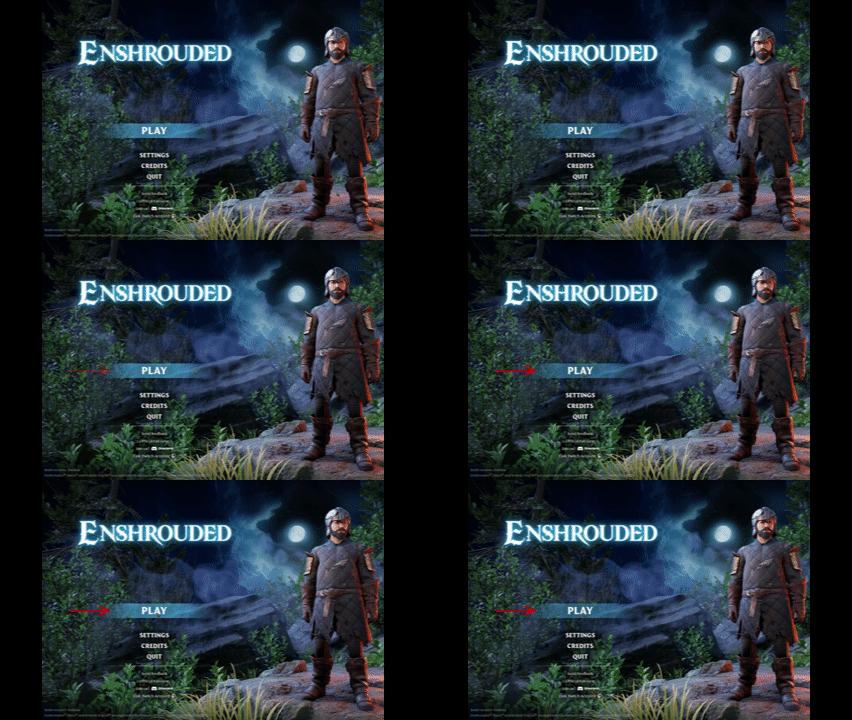
- When you get to the main menu click ‘PLAY’.
3. Select Game Type:
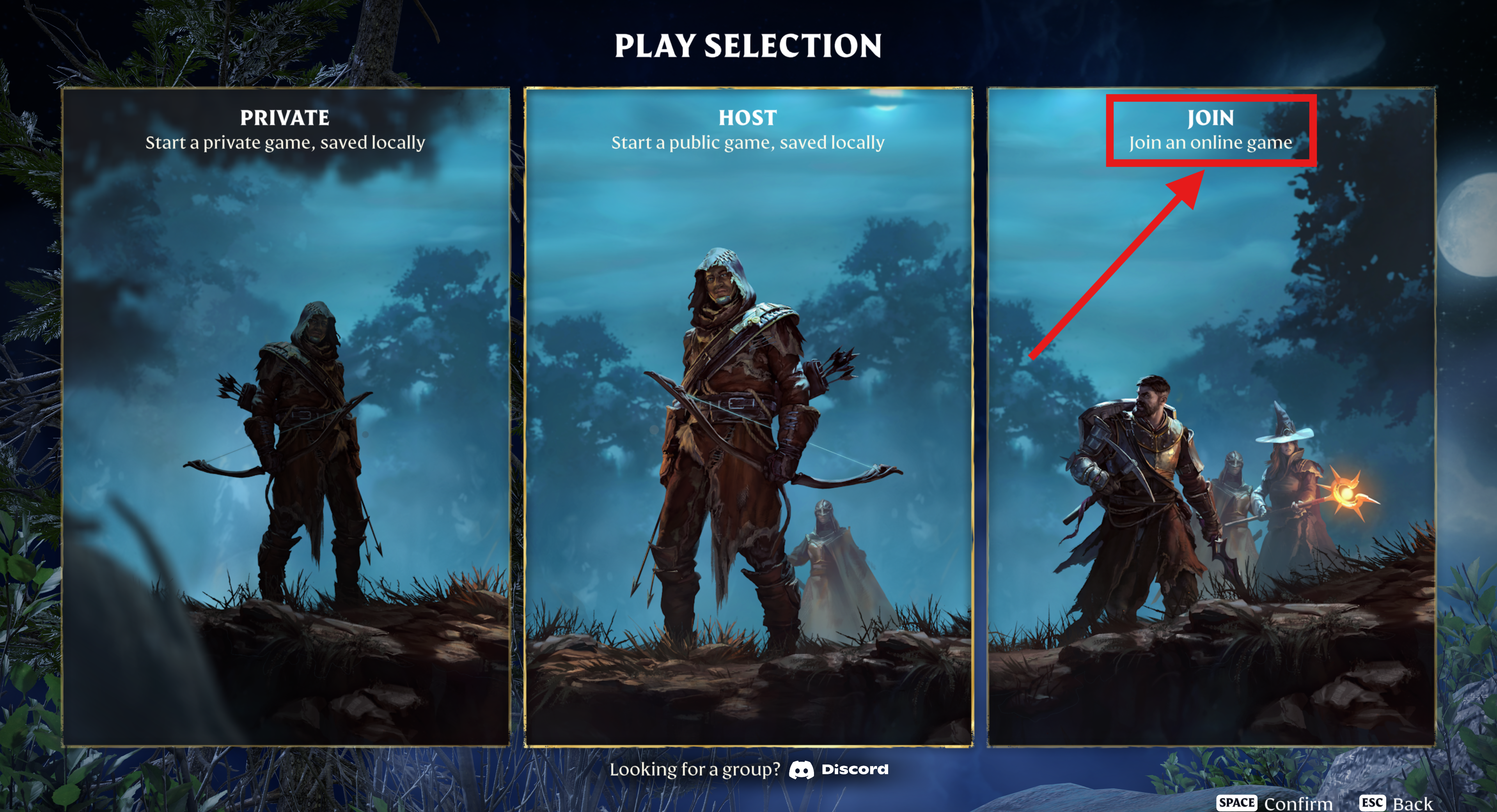
- On the Play Selection screen click Join to join an online game.
4. Join your server:
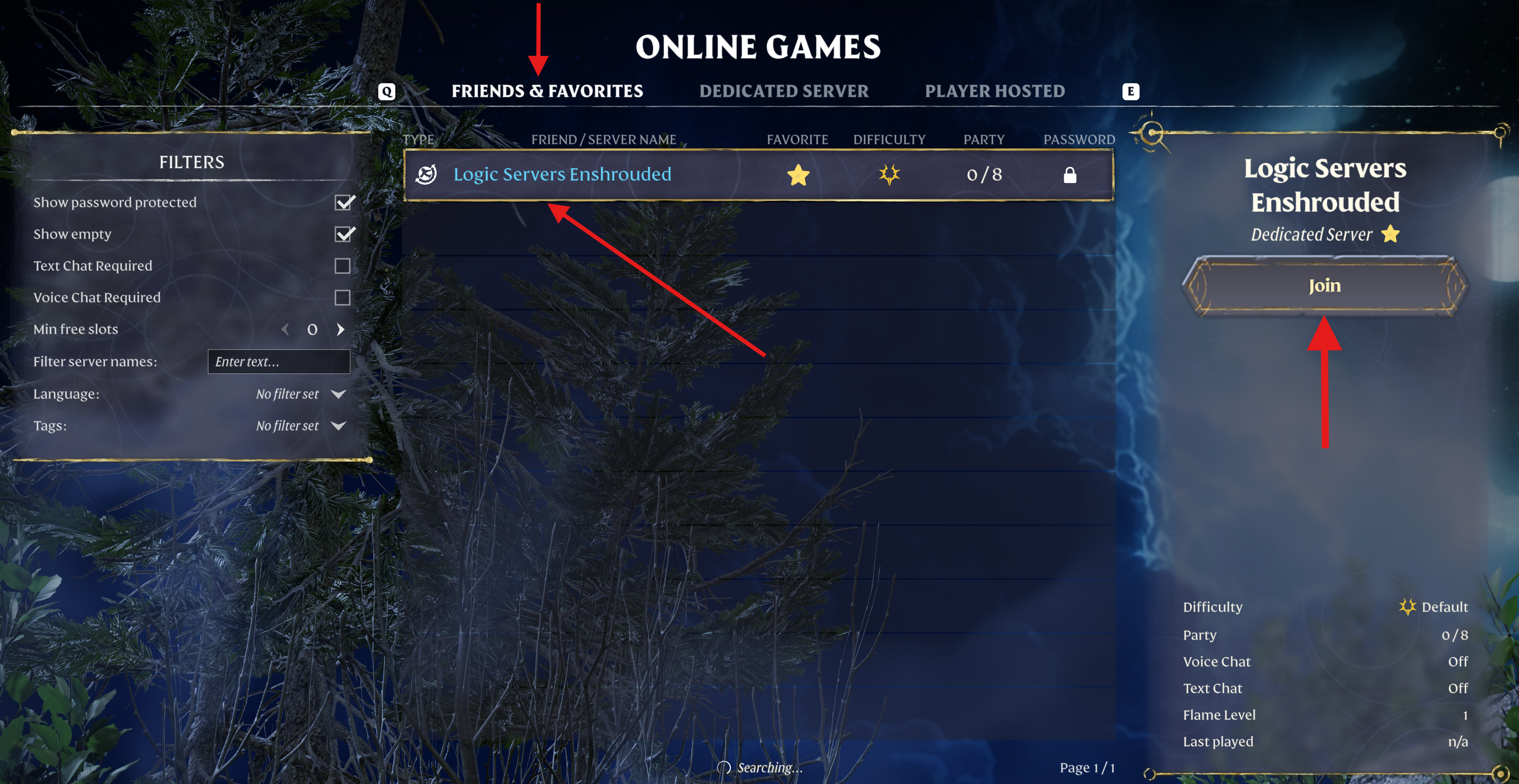
- You should now be able to click on ‘Friends and Favourites’ to see your server since you added it to your Steam Favourites list in Section A earlier.
- Make sure you have the show password protected and show empty boxes ticked on the left hand side.
- Click on your server name that appears and click JOIN.
You will now join your server so you and your friends can start playing on there. If you do get any issues joining your server for the first time then please let us know.
Please make sure you check out our other Enshrouded Guides to help with your new server.
We offer great support for your server and in most cases we can get you going right away. Open a ticket after logging into your Client Area Here. Our support team will be able to take a look at your server and help you get it going.
