ChestRespawnTime sets the maximum loot chest respawn time in seconds. For example, 900 seconds is 15 minutes.
- Log in to your game control panel, open your Longvinter service and click Stop. Wait for it to stop before editing
Game.ini, as the running server can overwrite changes. - Open Configuration Files and click Text Editor beside
Game.ini. - Under
[/game/blueprints/server/gi_advancedsessions.gi_advancedsessions_c], changeChestRespawnTime. Add the line beneath that heading if it is missing.ChestRespawnTime=900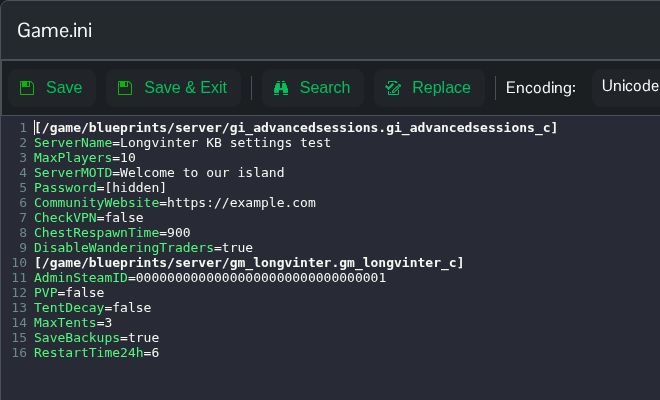
- Click Save & Exit, return to the service page and click Start.
Use a whole number of seconds.
You can also open Saved/Config/WindowsServer/Game.ini through File Manager, or download and edit it using FTP. File Manager opens in the Longvinter folder, so start with Saved.
