Restore a backup when you need to roll the server back after a bad update, unwanted wipe, broken Workshop install, or accidental file edit. Restoring replaces current server files with the backup you select.
Restore A Backup
- Open your Space Engineers server in the control panel.
- Stop the server.
- Click Restore Backup from the left side menu.
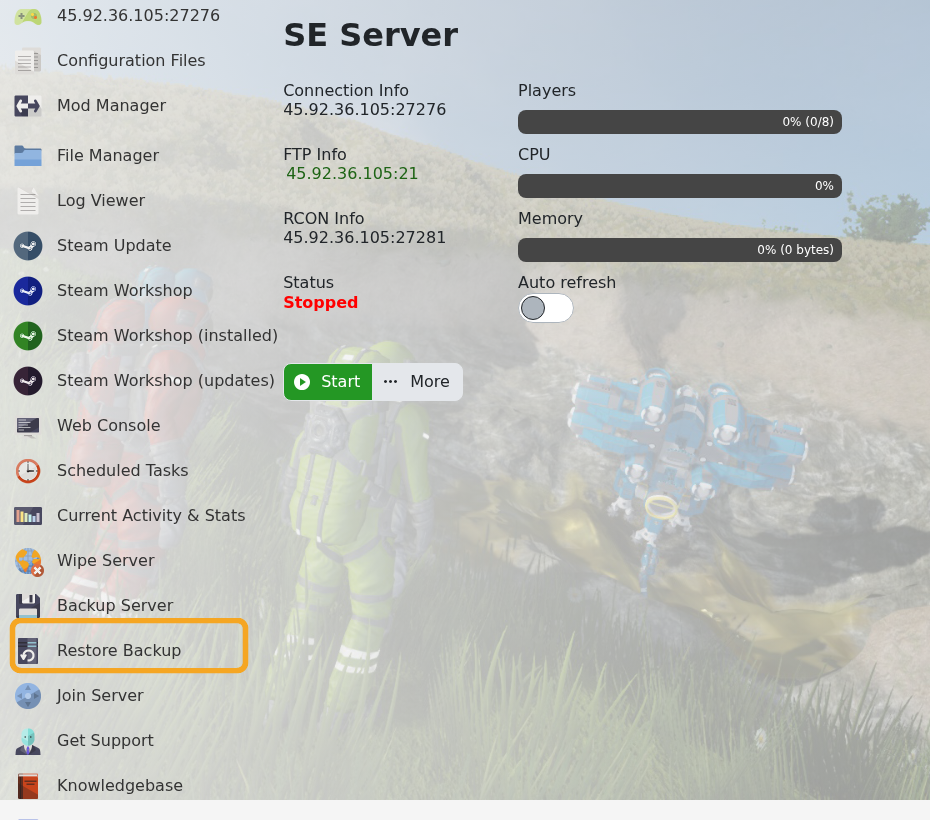
- Select the backup you want to restore from the dropdown.
- Tick Are you sure?, then click Execute.

- Wait for the restore task to finish.
- Start the server and check that the expected world loads.
If you are unsure which backup to restore, submit a support ticket before running the restore so we can help identify the safest restore point.
Before restoring
Restoring a backup overwrites the current server files. If there is anything from the current state you may need later, create or download a fresh copy before starting the restore.
After restoring
Start the server and check the console for errors before inviting players back. If you restored because of a mod or configuration issue, confirm the server works before applying the same change again.
