Most common Space Engineers server settings are in worlds\SpaceEngineers-Dedicated.cfg. Use the Config Editor for standard fields like server name, description, world name, autosave interval, whitelist group, and common gameplay toggles.
Edit Server Settings
- Open your Space Engineers server in the control panel.
- Click Configuration Files.
- Open
worlds\SpaceEngineers-Dedicated.cfgwith Config Editor.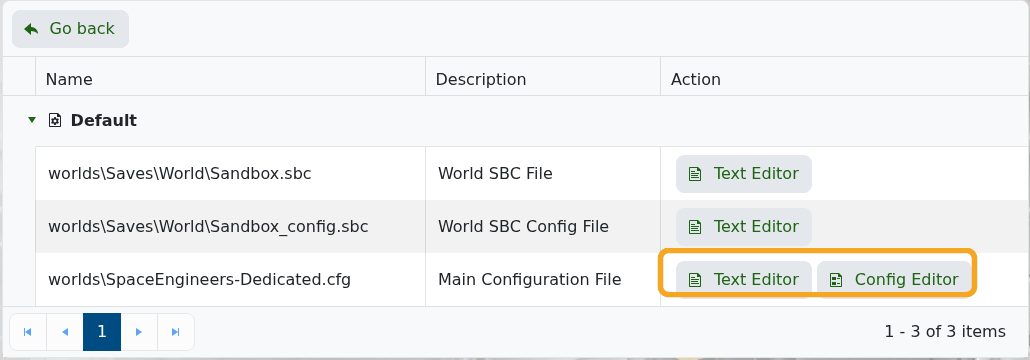
- Change the fields you need. For example, Host Name controls the server name and World Name controls the active save.
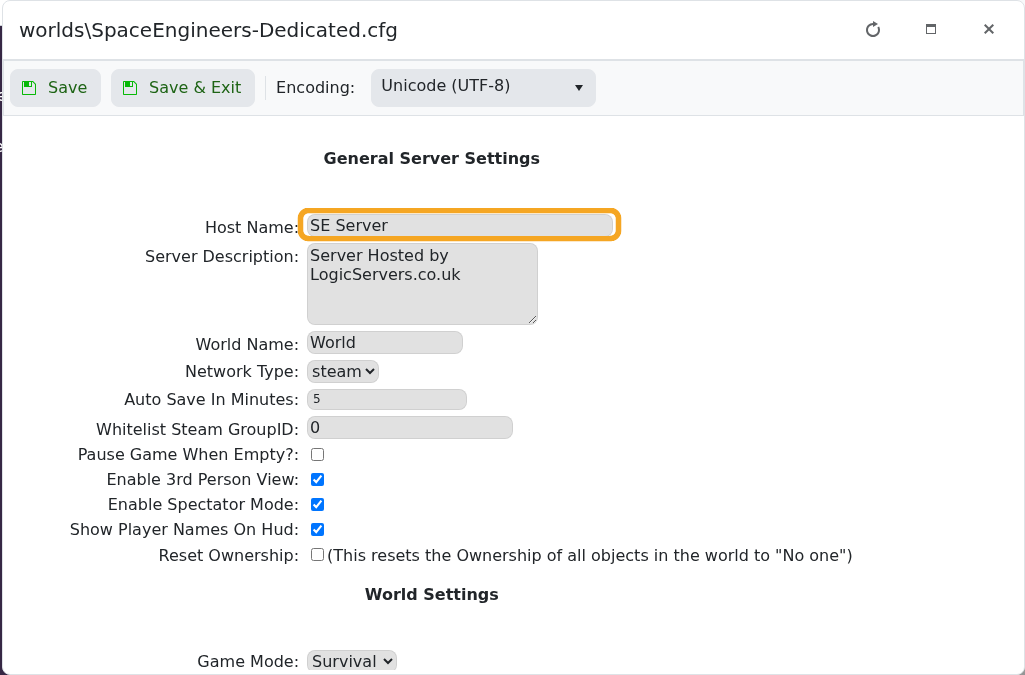
- Click Save & Exit.
- Restart the server so the new settings are applied.
Some advanced save-specific settings are stored in the world SBC files. Back up the server before editing those manually.
