Reset your Enshrouded server when you want the server to generate a fresh world. Enshrouded stores the active world files inside the savegame folder, so take a backup first, stop the server, then remove the current save files.
- Open your Enshrouded server in the control panel.
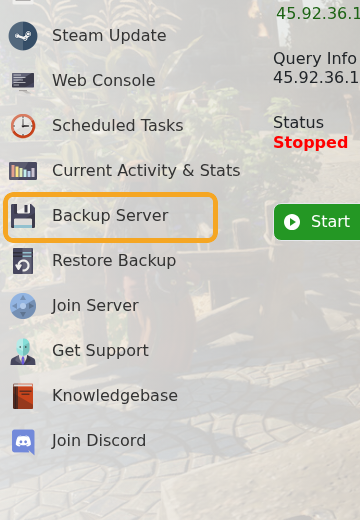
- Click Backup Server and wait for the backup to finish before deleting anything.
- Stop the server.
- Click File Manager.
- Open the
savegamefolder. - Select the Enshrouded world save files. On a default server, these are files starting with
3ad85aea, including numbered files such as3ad85aea-1and the index file such as3ad85aea-index.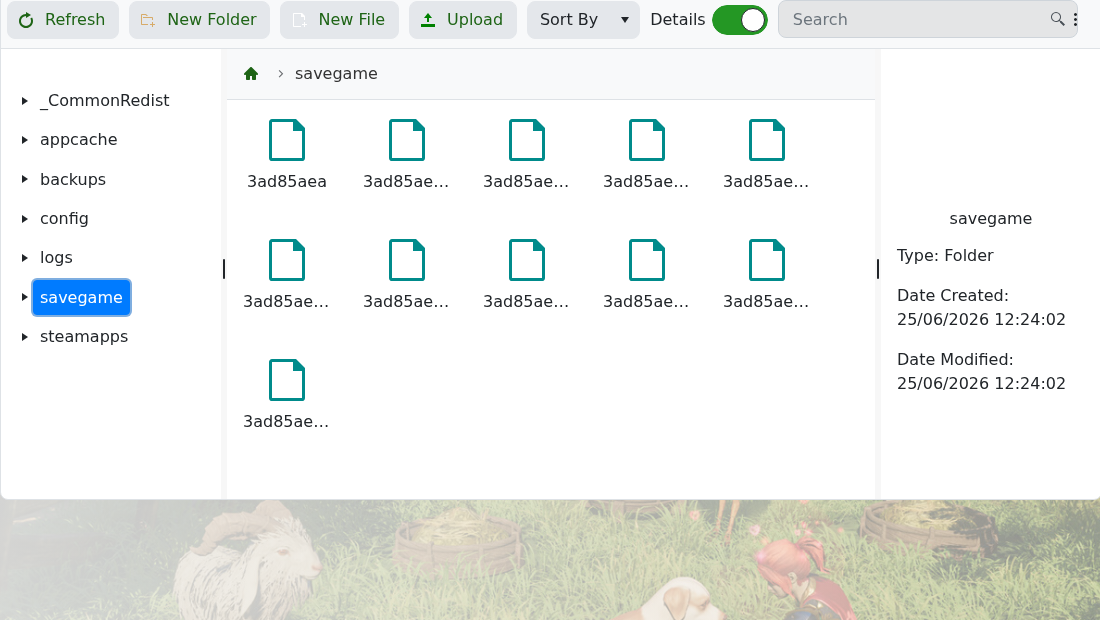
- Delete the selected save files. Do not delete
config,logs,steamapps, or other server folders. - Start the server. Enshrouded will create a new world save when it starts.
If you want to keep the current world available, restore the backup later or download the save files before deleting them. If you are unsure which files belong to the active world, submit a support ticket before removing anything.
