The Forest 将其名称、密码、保存槽、难度和游戏选项保存在 server.cfg 中。控制面板同时提供配置编辑器和完整的文本编辑器。
- 打开您的 The Forest 服务,备份并停止服务器。
- 点击 Configuration Files。
- 使用位于
server.cfg旁的 Config Editor 编辑常用字段,或使用 Text Editor 查看所有选项。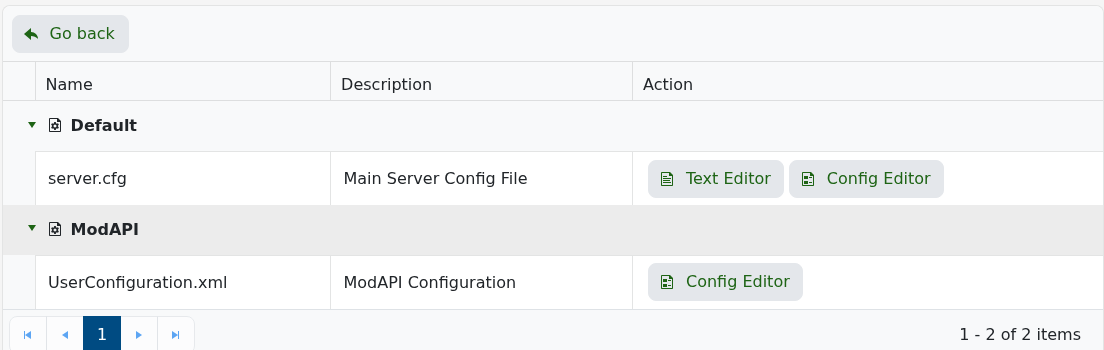
- 保存文件并启动服务器。
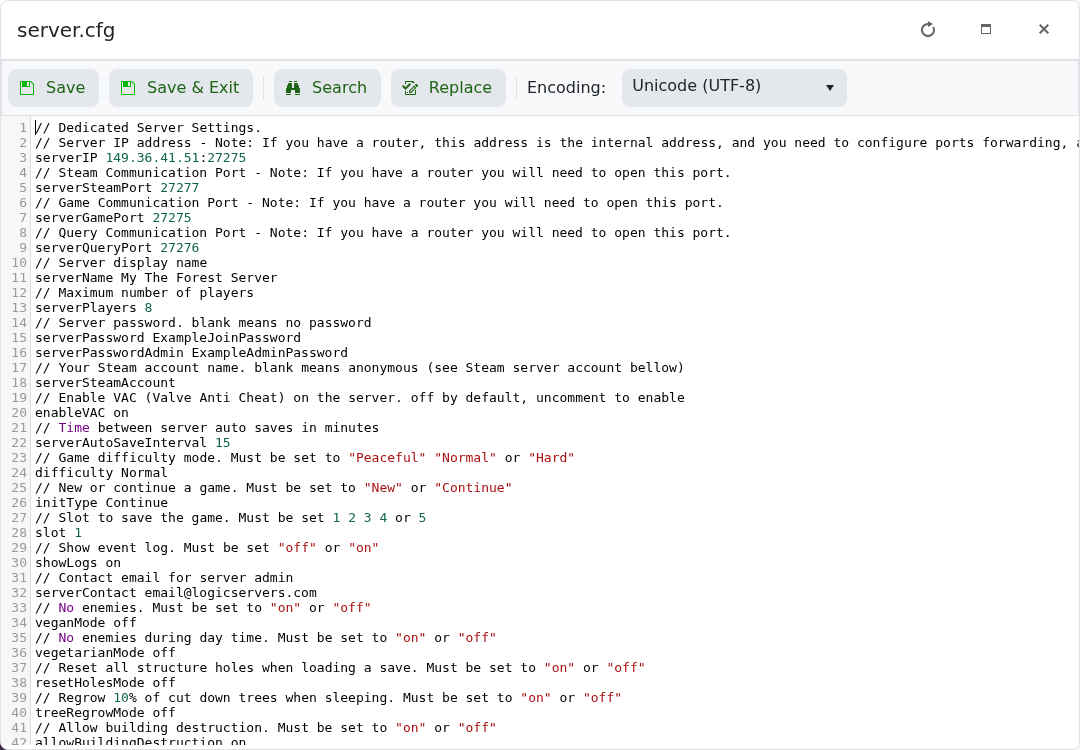
以下是大多数服务器所有者会更改的设置:
| 设置 | 可接受的值 | 用途 |
|---|---|---|
serverName | 文本 | 在服务器浏览器中显示的名称。 |
serverPassword | 文本或留空 | 加入时需要的密码。 |
serverPasswordAdmin | 文本或留空 | 用于验证管理员的密码。 |
serverAutoSaveInterval | 以分钟为单位,最小为 15 | 在玩家连接时世界保存的频率。 |
difficulty | Peaceful, Normal, Hard or HardSurvival | 世界难度。 |
slot | 1 to 5 | 服务器加载的保存槽。 |
treeRegrowMode | on or off | 当玩家睡觉时重新生长部分被砍伐的树木。 |
allowBuildingDestruction | on or off | 控制建筑是否会被破坏。 |
realisticPlayerDamage | on or off | 提高玩家之间造成的伤害。 |
不要更改已分配的 IP 或 port 值。如果在编辑后服务器停止,请恢复到最后已知的值并检查日志以查找第一个配置错误。
