在游戏的 Dedicated Servers 菜单中添加 Astroneer 的专用服务器,使用 LogicServers 控制面板中显示的连接地址。
- 打开您的 Astroneer 服务并检查其状态是否为 Running。
- 复制完整的 Connection Info 值(包括端口)。
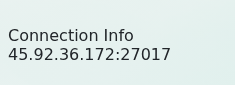
- 启动 Astroneer 并打开 Dedicated Servers。
- 选择 Add Dedicated Server,然后在相应字段中输入控制面板中的 IP 地址和端口。
- 为该条目添加一个易识别的名称,保存并选择服务器加入。
- 如果服务器受密码保护,请输入加入密码。
如果无法连接,请逐位核对地址和端口,确保服务器和游戏客户端已更新,并在重启后等待几分钟再重试。提交支持工单时请附上地址和游戏中显示的准确错误信息。
