Astroneer 的自动保存和保存备份间隔以秒为单位。当前默认值为自动保存间隔 900 秒,保存备份间隔为 7200 秒。
- 在控制面板中打开你的 Astroneer 服务器并停止它。
- 点击 Configuration Files,然后用 Text Editor 打开
AstroServerSettings.ini。 - 将
AutoSaveGameInterval设置为普通保存之间的秒数。 - 将
BackupSaveGamesInterval设置为 Astroneer 自身保存备份之间的秒数。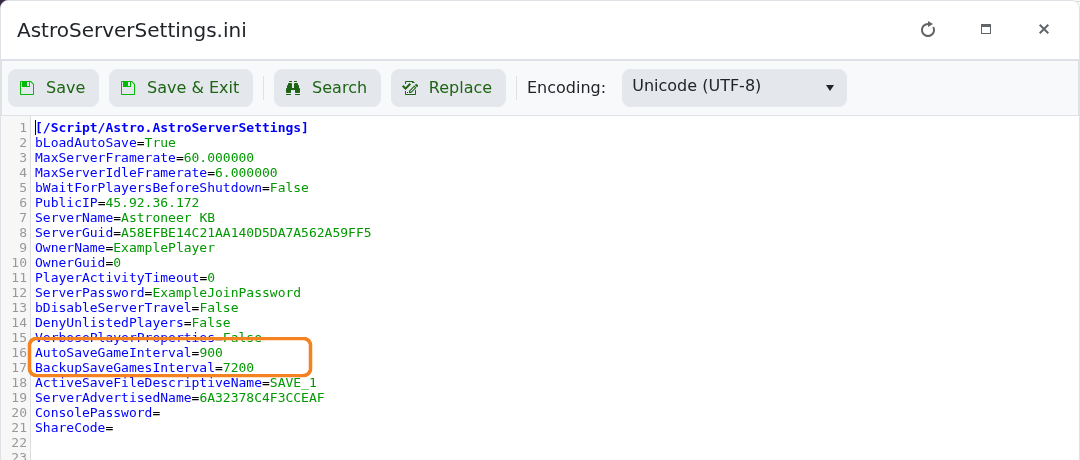
- 点击 Save & Exit,然后启动服务器。
参考:300 秒为 5 分钟,900 秒为 15 分钟,3600 秒为 1 小时。过短的间隔可能会导致不必要的磁盘活动,因此应逐步调整,并保持保存备份间隔长于自动保存间隔。
