Astroneer 服务器的所有者可以在游戏内管理专用服务器。请在玩家连接前将 OwnerName 设置为该玩家的 Steam 名称。
- 在控制面板中打开你的 Astroneer 服务器并停止它。
- 点击 Configuration Files,然后用 Text Editor 打开
AstroServerSettings.ini。 - 将
OwnerName=ExamplePlayer替换为目标玩家的精确 Steam 名称,并将OwnerGuid=0设置为 0。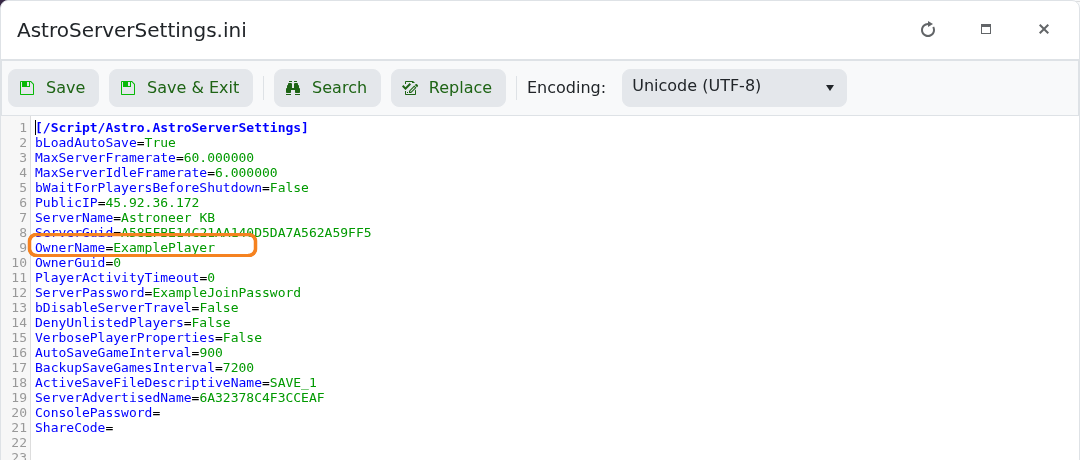
- 点击 Save & Exit 并启动服务器。
- 让该玩家连接。Astroneer 应该会将
OwnerGuid=0替换为他们唯一的 owner GUID。
如果未分配所有权,请停止服务器并检查 OwnerName 是否与 Steam 名称完全匹配。请勿复制其他玩家生成的 owner GUID。
