使用日志文件来排查启动失败、崩溃和连接问题。
- 重现一次问题并记录发生时间。
- 打开 日志查看器。
- 使用位于
StarRupture.log旁的 流式文件 查看最新输出,或下载它以便更长时间查看。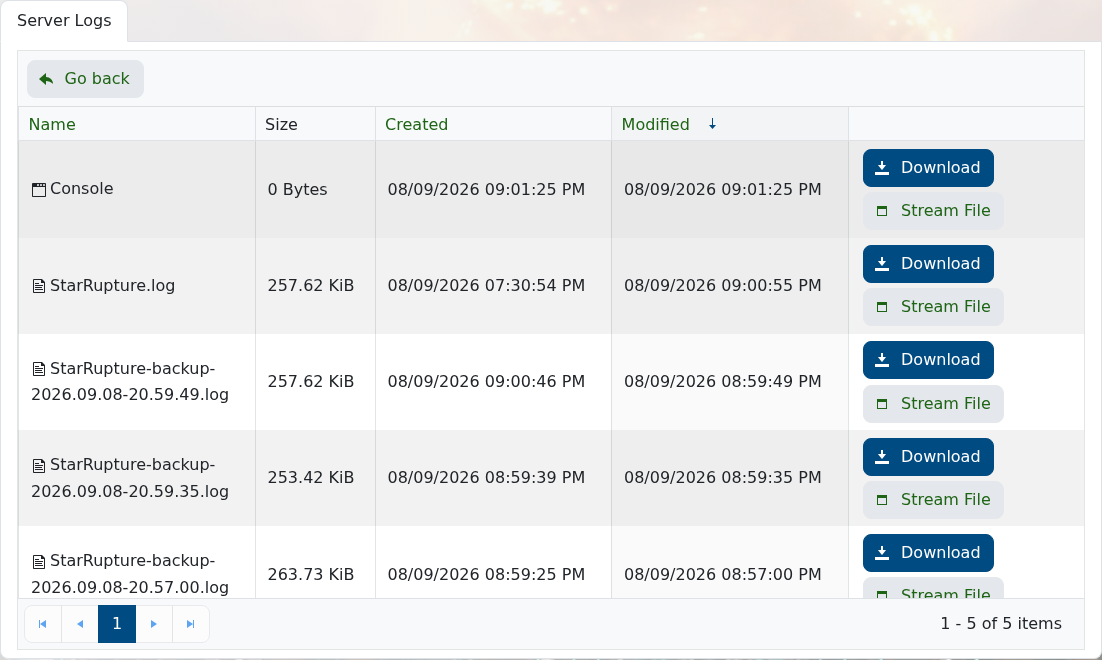
- 查找最近一次启动尝试中的第一个错误,而不要只看最后重复出现的消息。
相同的日志可在文件管理器的 StarRupture/Saved/Logs 下找到。
使用日志文件来排查启动失败、崩溃和连接问题。
StarRupture.log 旁的 流式文件 查看最新输出,或下载它以便更长时间查看。
相同的日志可在文件管理器的 StarRupture/Saved/Logs 下找到。
