从对服务所做的最近更改开始排查。大多数配置错误无需重装服务器即可缩小范围。
- 打开 Configuration Files 并检查
DSSettings.txt是否为有效的 JSON。查找缺失的引号、逗号或大括号。 - 确认
LoadSavedGame和StartNewGame不会同时启用,并且在加载存档时SaveGameName指向一个存在的文件。 - 停止服务,运行 Steam Update 并等待其完成。
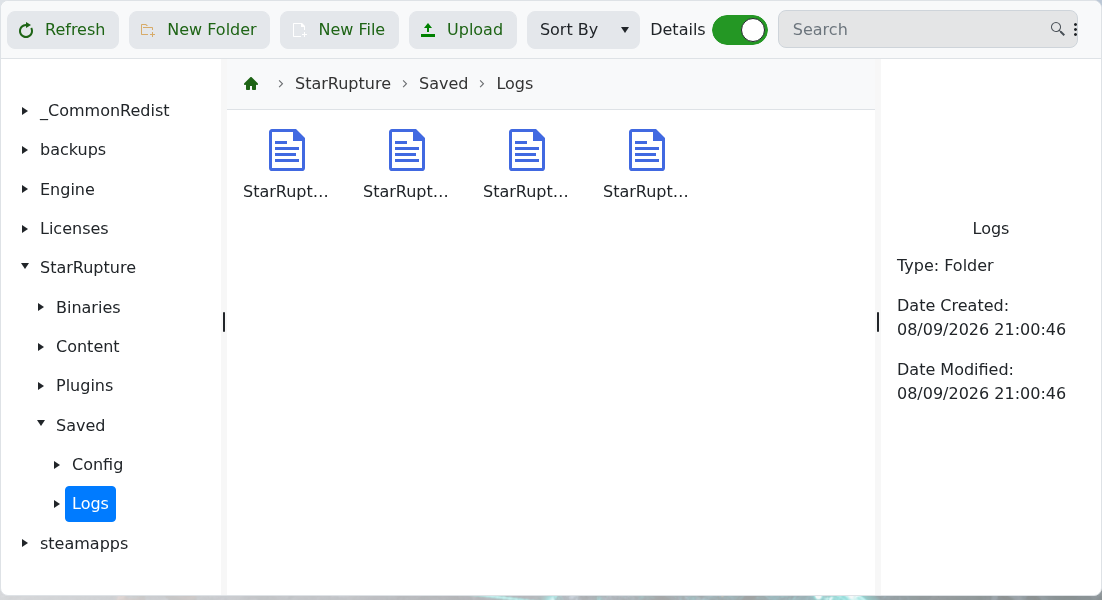
- 启动服务器一次并打开 Log Viewer。检查
StarRupture.log中的第一个相关错误。
如果相同错误仍然存在,请恢复已知良好的独立 DSSettings.txt 备份,或在提交支持工单时附上相关日志行。不要在未检查日志的情况下反复重装文件。
