Steam 单人和玩家托管的世界可以移到专用服务器。来自 PlayStation、Xbox 以及 Windows/Game Pass 版本的存档不受专用服务器支持。
- 在拥有该 Steam 存档的 Windows 电脑上,打开
%LocalAppData%\AbioticFactor\Saved\SaveGames\<SteamID>\Worlds。 - 找到要上传的世界文件夹并另行复制一份。
- 停止服务器。通过 FTP 连接并打开
Saved/SaveGames/Server/Worlds。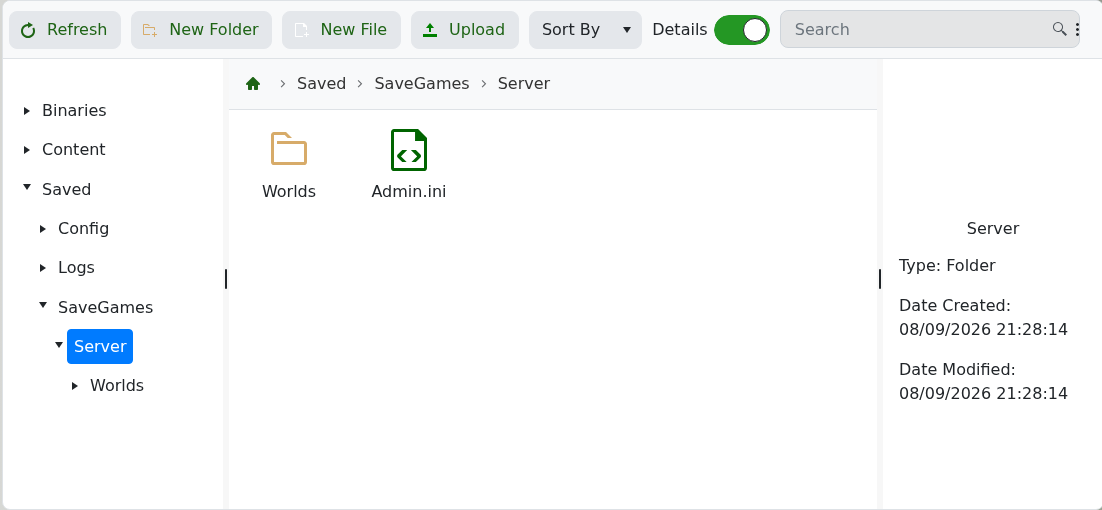
- 将上传的世界文件夹重命名为
Cascade。先移动或重命名现有的Cascade文件夹以避免被覆盖。 - 上传完整的文件夹,然后启动服务器并登入一次以确认正确的世界已加载。
使用 FTP 客户端进行文件夹传输;完整的连接步骤请参见 如何连接到 FTP。
