Fear the Night 将 PvE 设置保存在 GameUserSettings.ini 中。你可以启用 PvE,而无需替换世界文件。
- 在游戏控制面板中打开你的 Fear the Night 服务器,然后点击 Stop。等待状态变为 Stopped。
- 打开 Configuration Files,然后点击
GameUserSettings.ini旁边的 Text Editor。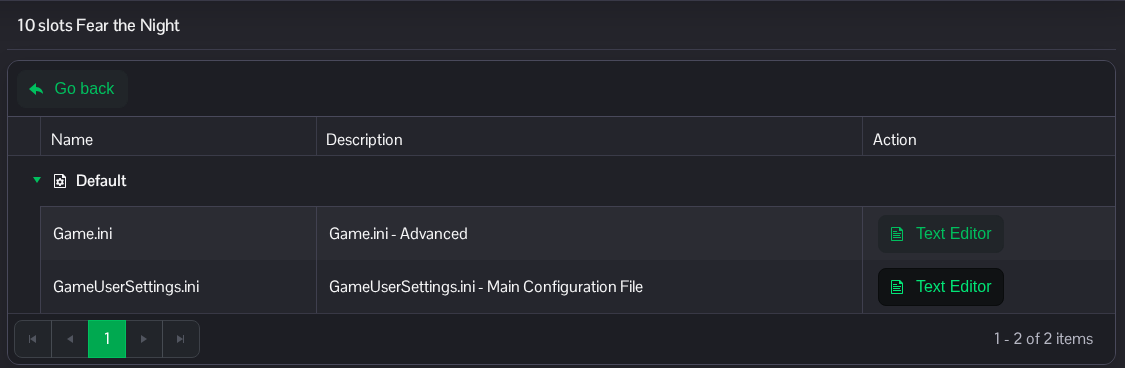
- 找到
[ServerSettings]。设置ServerPVE=True以启用 PvE。如果没有这一行,请添加;不要添加第二个[ServerSettings]区段。[ServerSettings] ServerPVE=True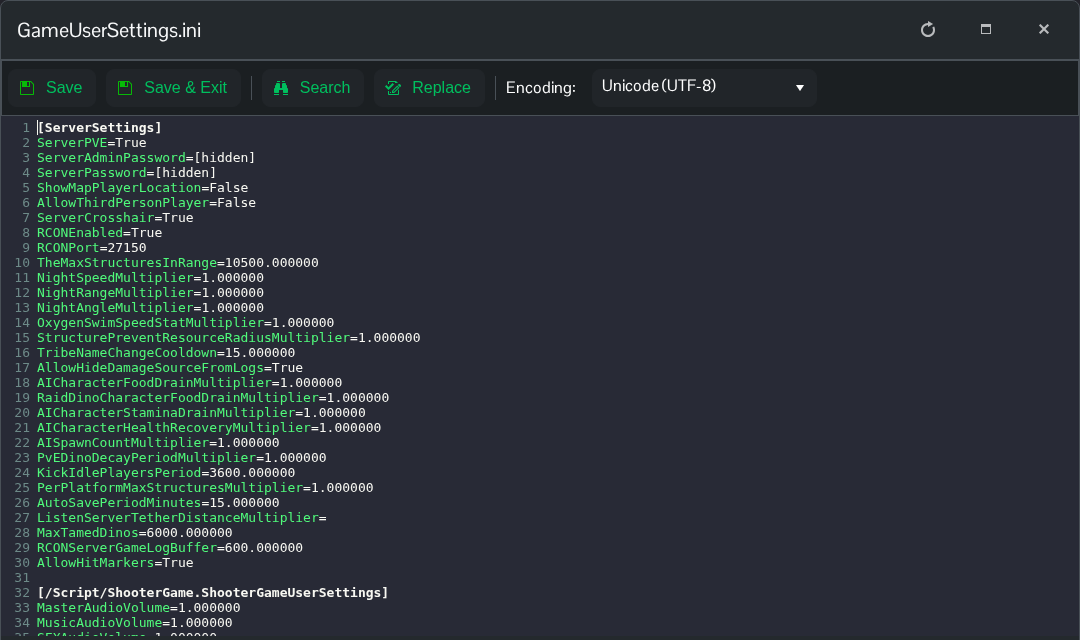
- 点击 Save & Exit,返回服务器页面,然后点击 Start。如果想切换回 PvP,请使用
ServerPVE=False并重启服务器。
你也可以通过 File Manager 访问此文件:Saved/Config/WindowsServer/GameUserSettings.ini。如果你更喜欢编辑下载的副本,也可以使用 FTP。
