AllowThirdPersonPlayer用于控制 Fear the Night 服务器是否允许第三人称视角。此设置与 ShooterGameUserSettings 部分中的客户端偏好设置相互独立。
- 在游戏控制面板中打开你的 Fear the Night 服务器,然后点击 Stop。等待状态变为 Stopped。
- 打开 Configuration Files,然后点击
GameUserSettings.ini旁边的 Text Editor。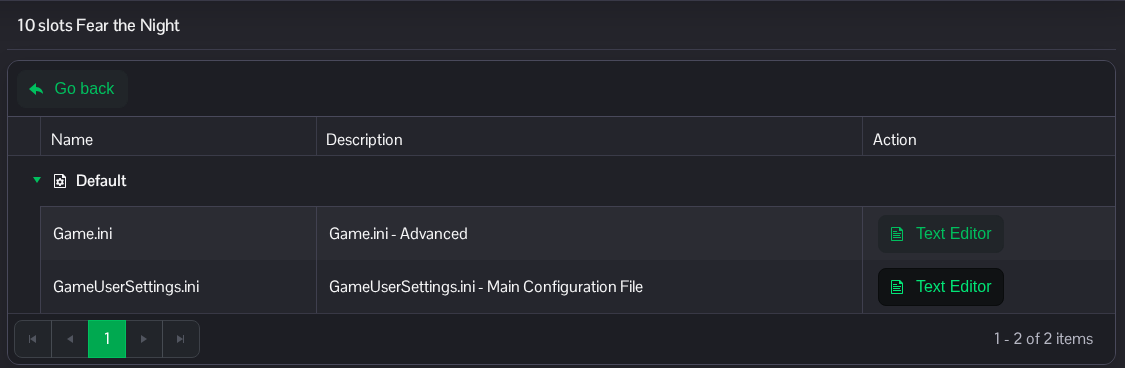
- 找到
[ServerSettings]。设置AllowThirdPersonPlayer=False以禁用第三人称视角,或设为True以允许使用。修改[ServerSettings]下现有的这一行。[ServerSettings] AllowThirdPersonPlayer=False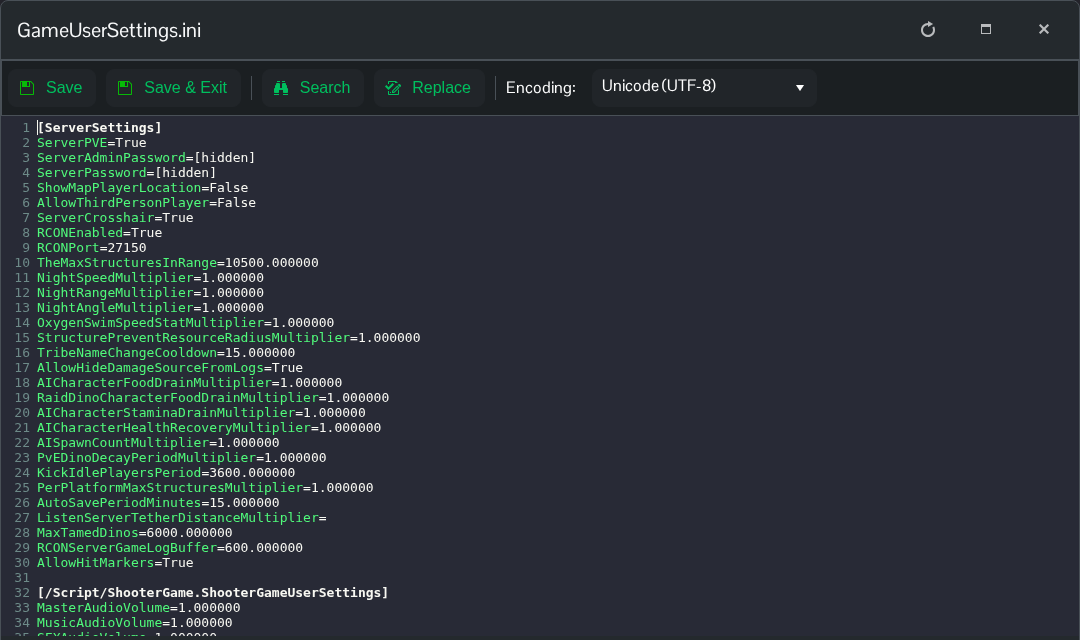
- 点击 Save & Exit,返回服务器页面,然后点击 Start。服务器重启后,玩家将使用新的服务器设置。
你也可以通过 File Manager 访问此文件,路径为 Saved/Config/WindowsServer/GameUserSettings.ini。如果你更愿意编辑下载的副本,也可以使用 FTP。
