Karagon 使用 Server.Admins 中的 SteamID64 来识别服务器管理员。请使用你游玩时所用 Steam 账号的数字 ID,而不是显示名称。按照以下步骤设置一个管理员 ID。
- 找到你的 SteamID64,然后停止 Karagon 服务器。
- 打开 Configuration Files,并选择
Settings.ini旁边的 Text Editor。 - 在
[Settings]下找到Server.Admins。将默认值N/A替换为你自己的 SteamID64。如果已经设置了 ID,请先保留一份副本再替换。下面的行是占位内容;请将YOUR_STEAMID64替换为你的数字 ID。[Settings] Server.Admins=YOUR_STEAMID64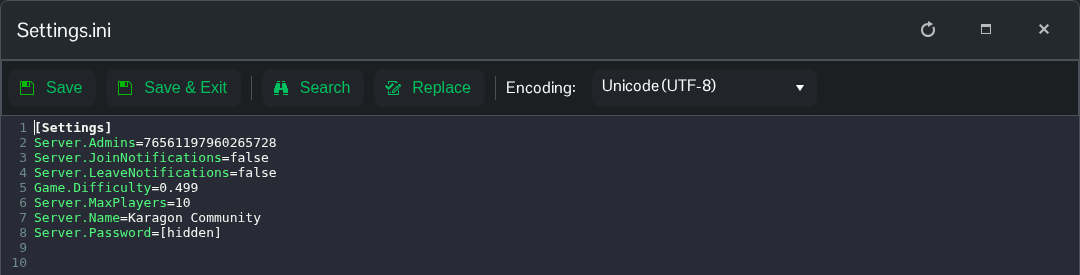
- 点击 Save & Exit,启动服务器,然后使用你填写 ID 所属的 Steam 账号加入。
如果要移除已配置的管理员,请设置 Server.Admins=N/A 并重启服务器。文件路径为 NewKaragon/Saved/Config/WindowsServer/Settings.ini。
