Onset 有完整服务器名称、短名称和游戏模式描述。请同时设置这些名称,这样无论在哪里使用短名称,其他人都能识别你的服务器。
- 在游戏控制面板中停止你的 Onset 服务器,并等待显示 Stopped。
- 打开 Configuration Files,然后在
server_config.json旁选择 Text Editor。Onset 请使用 Text Editor。目前,Config Editor 会保存无效的 JSON。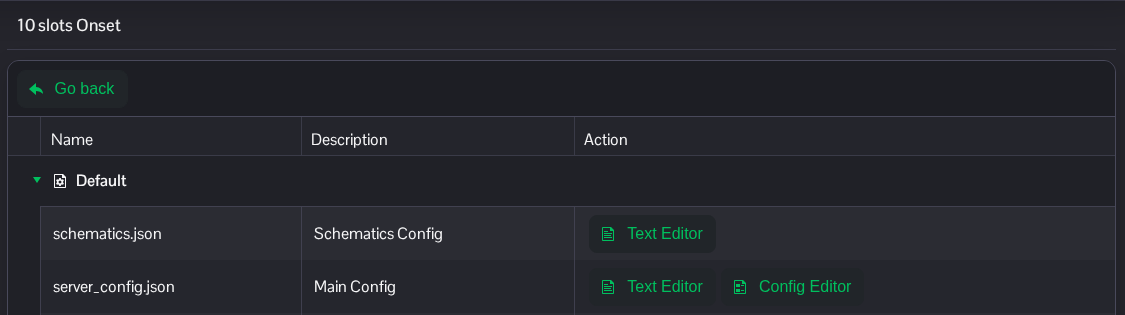
- 在文件顶部附近更改
servername、servername_short和gamemode。修改现有条目,并保留其余 JSON 内容,包括逗号。"servername": "Onset Community", "servername_short": "Onset", "gamemode": "Sandbox",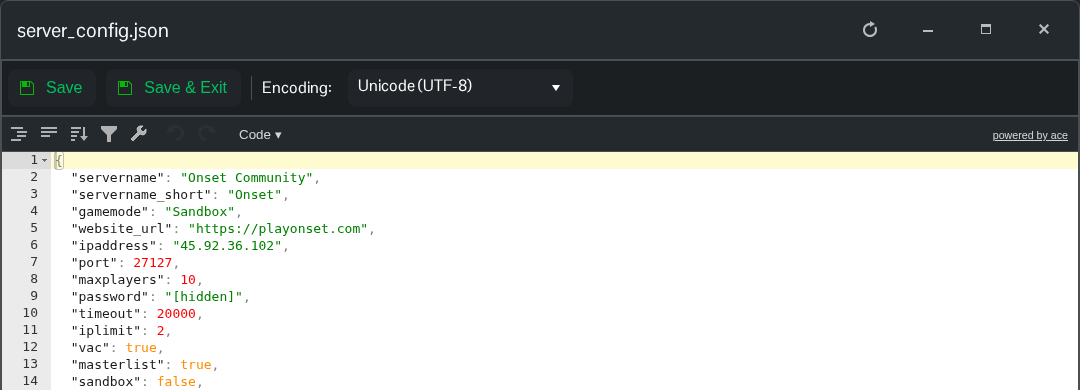
- 点击 Save & Exit,返回服务页面并启动服务器。
Steam 和 Discord Rich Presence 会使用短名称。gamemode 是描述;packages 数组决定运行哪些脚本。请勿更改已分配的 ipaddress、port 和 maxplayers 条目。
server_config.json 文件位于 File Manager 的根目录。如果你更愿意传输本地副本,也可以使用 FTP。
