设置加入密码,限制只有受邀玩家才能进入你的 Onset 服务器。
- 在游戏控制面板中停止 Onset 服务器,并等待显示 Stopped。
- 打开 Configuration Files,然后选择
server_config.json旁边的 Text Editor。Onset 请使用 Text Editor。目前,Config Editor 保存的 JSON 无效。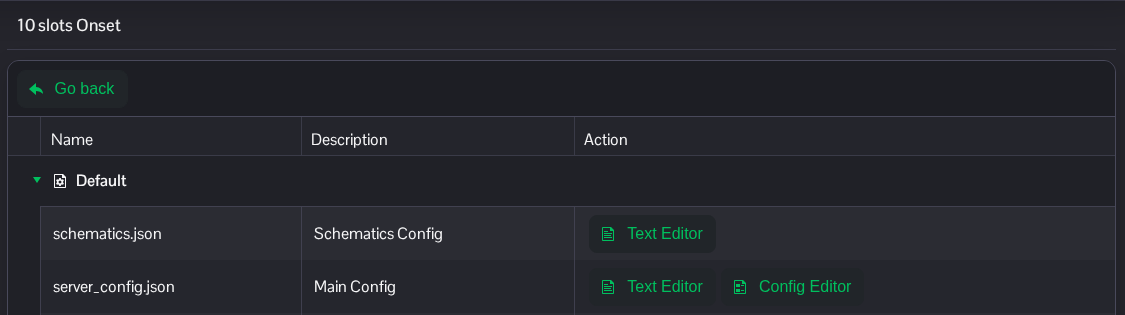
- 将
password中引号之间的文本替换为你自己的加入密码。修改现有条目,并保留其余 JSON 内容,包括逗号。"password": "ChooseYourOwnJoinPassword",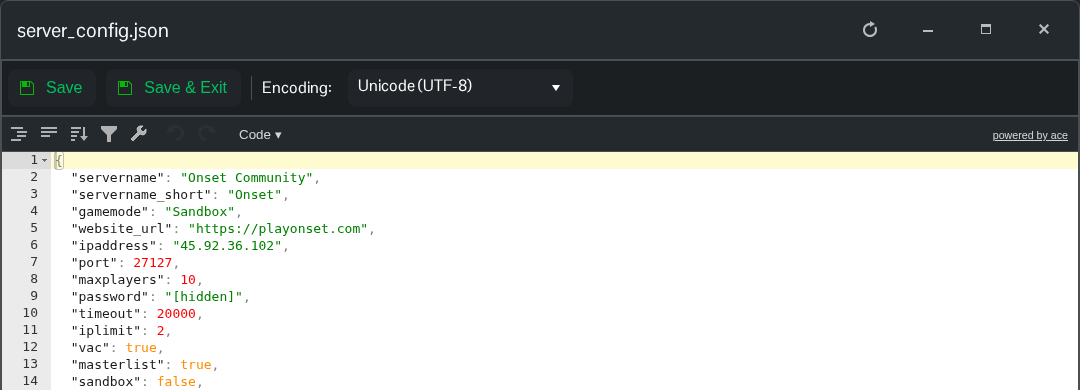
- 点击 Save & Exit,返回服务页面并启动服务器。
服务器重启后,将密码告知玩家。要移除密码,请将值留空:"password": "";如果下一条目需要逗号,请保留逗号。
server_config.json 文件位于 File Manager 的根目录。如果你希望传输本地副本,也可以使用 FTP。
