某些 Vintage Story mod 或工具可能需要一个额外的端口。你服务器上已分配的任何端口可以在 Network 页面找到。
- 在控制面板中打开你的 Vintage Story 服务器。
- 点击 Network 选项卡。
- 为需要额外端口的 mod 或工具使用列表中的其中一个分配项。
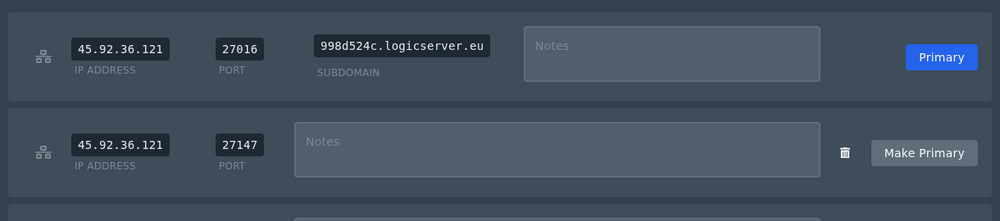
- 如果该 mod 需要将该额外端口设为主服务器地址,请在该分配项上点击 Make Primary。
如果所有分配项都已被占用且你需要另一个,请提交支持工单并告知我们你需要额外端口的用途。
开始之前
每次只做一项更改并记录你所更改的内容。如果服务器正在运行,在重启或应用可能导致断线的设置前提醒玩家。
如果遇到问题
检查控制面板控制台或最新日志输出以查找错误。如果你提交支持工单,请包括服务器名称、你所做的更改,以及确切的错误信息。
