如何在你的 Path of Titans 服务器上启用 Source Query

列印
  • 0

启用 Source Query 后,兼容的监控工具即可读取服务器名称、地图和玩家人数。

  1. 停止 Path of Titans 服务器,并等待显示 Stopped。
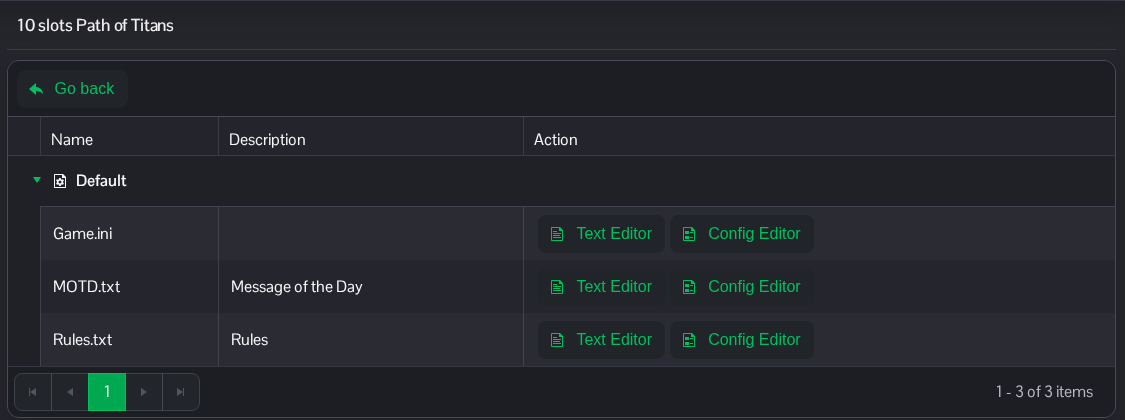
  2. 打开 Configuration Files,然后点击 Game.ini 旁边的 Text Editor。

    Path of Titans 配置文件,其中包含 Game.ini、MOTD.txt 和 Rules.txt 的文本编辑器

  3. 找到现有的 [SourceQuery] 部分,并设置 bEnabled=true。保留与服务的 Query Info 相匹配的已分配 Port 和 IP 条目。使用为你的服务显示的值。保留其他条目不变。
    [SourceQuery]
    bEnabled=true

    Path of Titans 的 SourceQuery 部分,查询已启用并显示分配的 IP 和端口

  4. 点击 Save & Exit,然后启动服务器。

在监控工具中配置你自己的服务器页面上 Query Info 下显示的地址和端口。

你也可以在 File Manager 中通过 Saved/Config/WindowsServer/Game.ini 找到同一个文件。FTP 也可用于传输文件。


這篇文章有幫助嗎?

相關文章

« 返回

Follow us on Social Media

Stay in the loop! Follow our social media accounts and stay up-to-date with the latest news, announcements, tips & tricks and behind-the-scenes insights!