如何更改你的 Arma Reforger 服务器名称和密码

列印
  • 0

Arma Reforger 的服务器名称和密码存储在 server_config.json 中。对于常规的名称和密码更改,请使用 Config Editor,这样就不需要手动编辑 JSON。

  1. 在控制面板中打开你的 Arma Reforger 服务器。
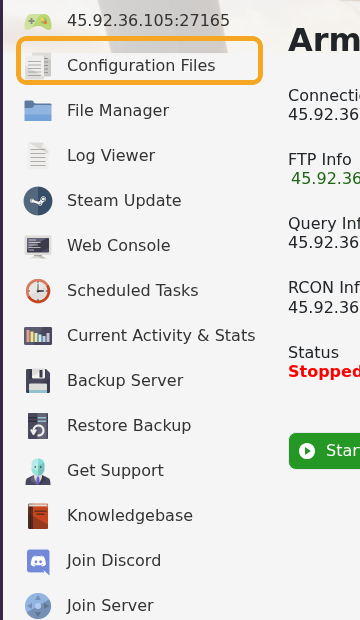
  2. 点击 Configuration Files。

    显示 Configuration Files 的 Arma Reforger 控制面板

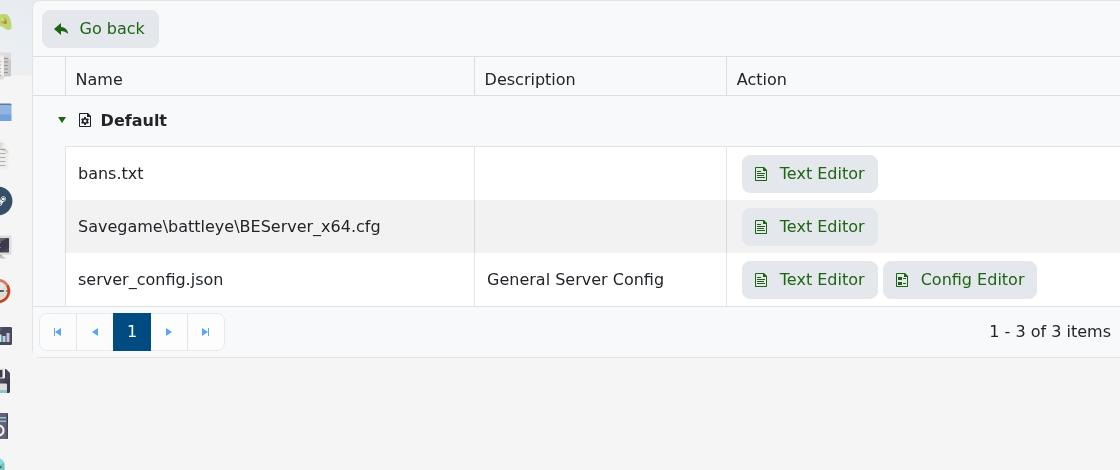
  3. 用 Config Editor 打开 server_config.json。

    Arma Reforger 的 Configuration Files,显示 server_config.json

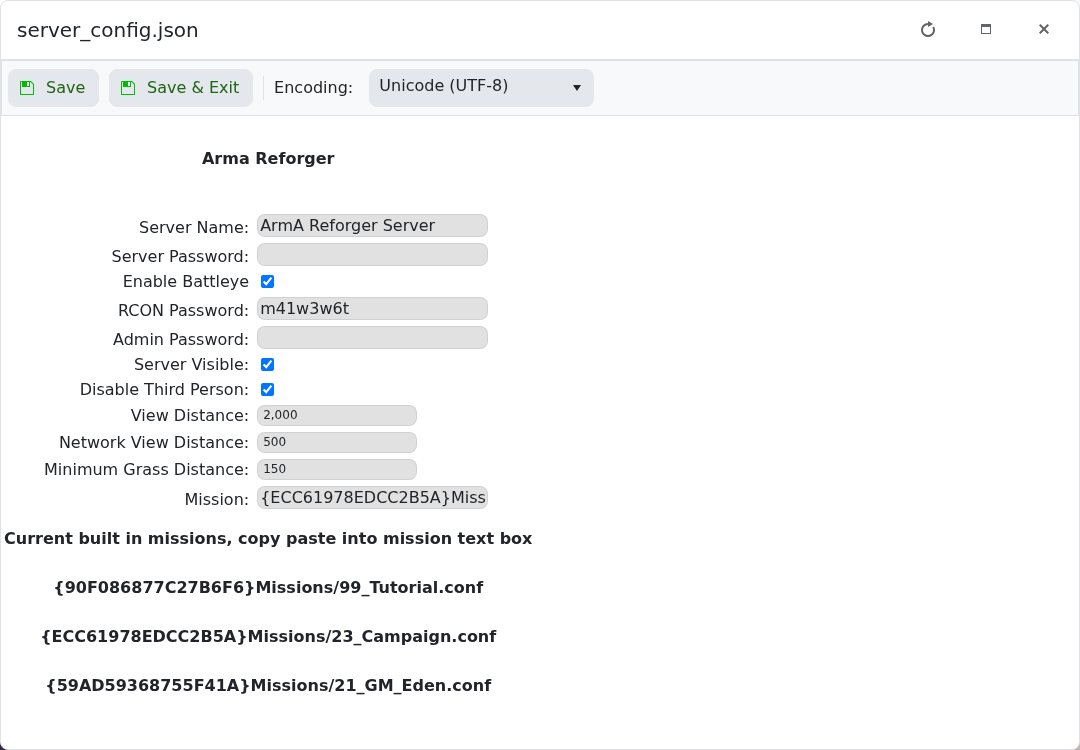
  4. 根据需要更改 Server Name 和 Server Password。

    显示 name 和 password 字段的 Arma Reforger server_config.json Config Editor

  5. 点击 Save & Exit。
  6. 重启服务器以使新设置生效。

如果你希望服务器公开,密码字段留空即可。重启后如果浏览器中仍立即显示旧名称,请稍等几分钟并刷新服务器列表。

更改设置后

重启服务器并从游戏客户端测试该设置。如果更改影响到加入、权限、PvP、crossplay 或管理员访问,请让其他玩家也帮忙测试。

如果未生效

确认该值已保存在正确的配置文件或面板字段中。某些游戏仅在启动时读取这些设置,因此在更改可见之前需要完全重启。


這篇文章有幫助嗎?

相關文章

« 返回

Follow us on Social Media

Stay in the loop! Follow our social media accounts and stay up-to-date with the latest news, announcements, tips & tricks and behind-the-scenes insights!