大多数Arma Reforger服务器行为由server_config.json控制。对于常见的值,请使用配置编辑器,只有在需要编辑表单中未显示的JSON字段时才使用文本编辑器。
- 在控制面板中打开您的Arma Reforger服务器。
- 点击配置文件。
- 使用配置编辑器打开
server_config.json进行常规更改。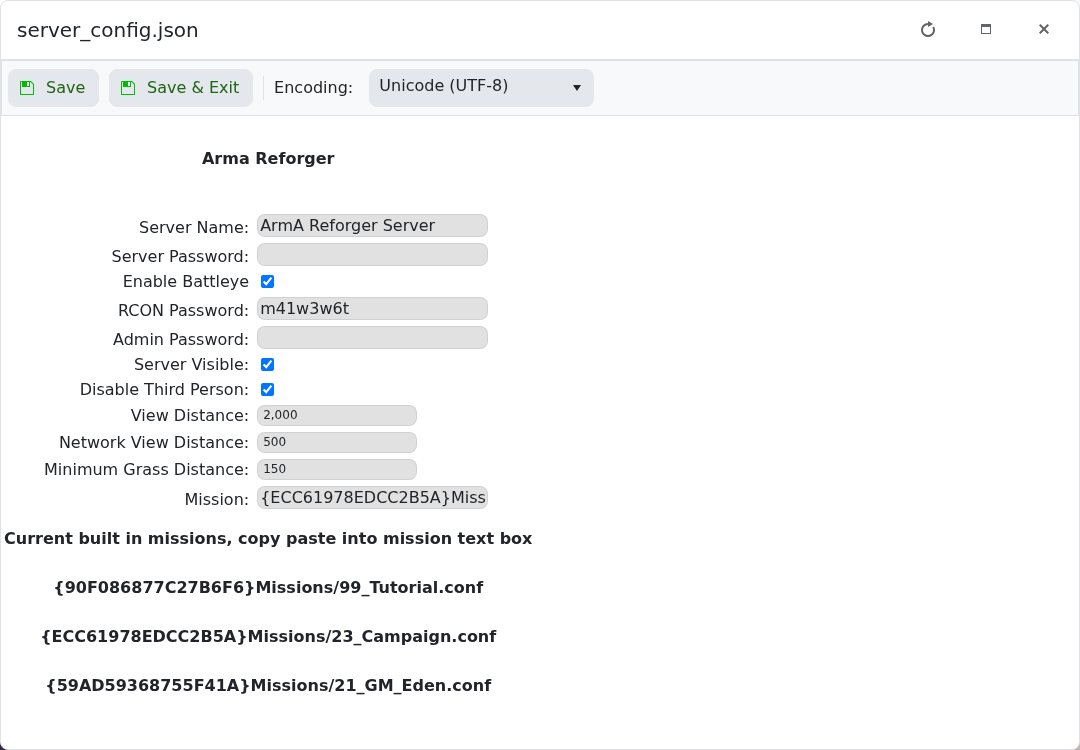
- 对于高级JSON更改,使用文本编辑器打开
server_config.json。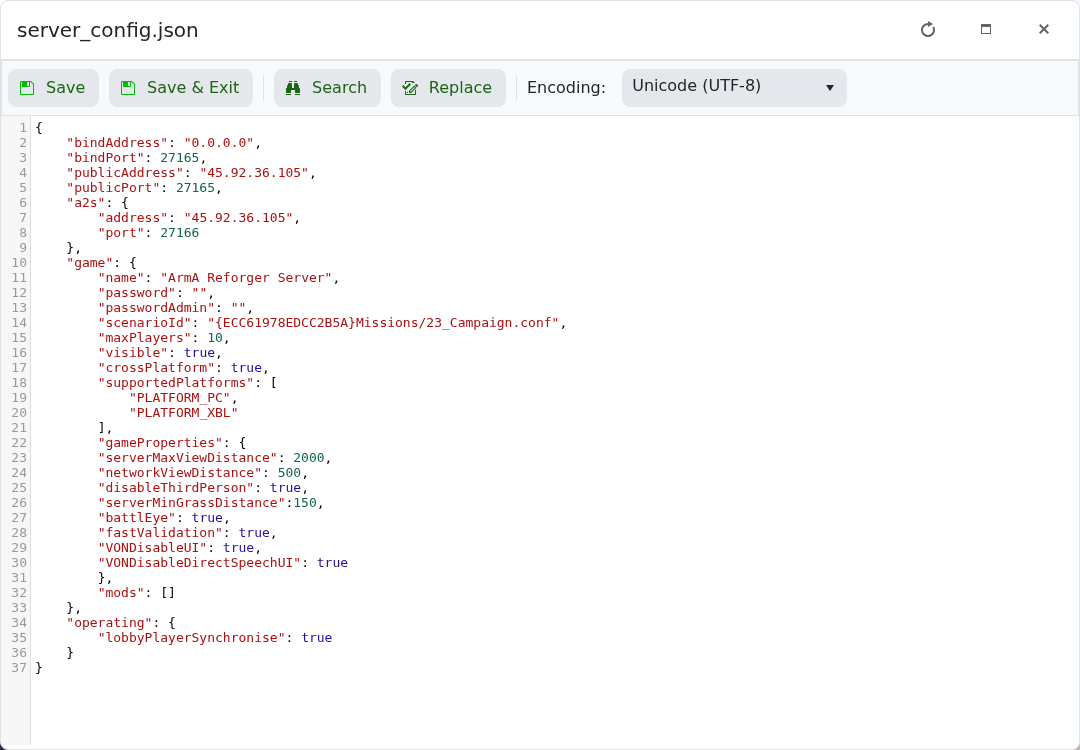
- 点击保存并退出,然后重启服务器。
| 设置 | 控制内容 |
|---|---|
game.name | 服务器浏览器中显示的名称。 |
game.password | 加入服务器所需的密码。 |
game.passwordAdmin | 用于管理员访问的密码。 |
game.scenarioId | 服务器加载的任务/场景。 |
game.maxPlayers | 服务器允许的最大玩家数。 |
game.visible | 服务器是否应出现在浏览器中。 |
game.crossPlatform | 是否为支持的平台启用跨平台游戏。 |
game.supportedPlatforms | 可以加入的平台,例如PC和Xbox。 |
game.gameProperties | 游戏选项,如第三人称视角、视距、草地距离、BattlEye和语音设置。 |
mods | 服务器加载的Workshop模组。 |
JSON格式严格。缺少逗号、多余的逗号或破损的引号可能会导致服务器无法启动。在编辑高级值之前请备份。
