Uninstall Rocket Mod if you want your Unturned server back on the standard server files, or if you need to troubleshoot Rocket/plugin startup errors. Removing Rocket Mod can stop Rocket plugins from loading, so take a backup first if you may need the old setup again.
Before uninstalling
- Stop the server.
- Run Backup Server if the current setup matters.
- Make a note of any Rocket plugins you may want to reinstall later.
Uninstall Rocket Mod
- Open your Unturned server in the control panel.
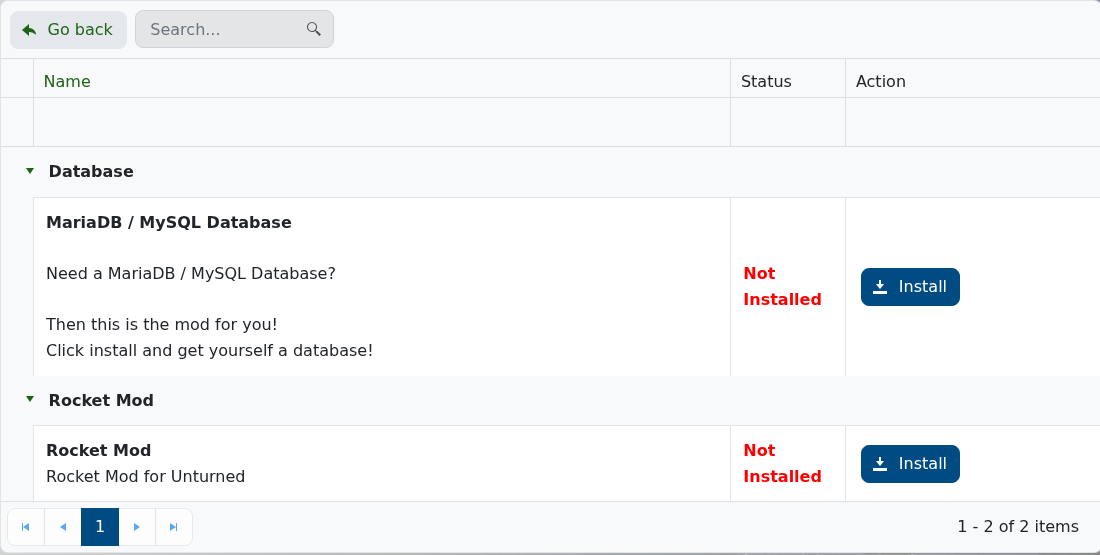
- Open Mod Manager.
- Find Rocket Mod.
- If Rocket Mod is installed, click Uninstall and confirm the prompt.
- Wait for the uninstall task to finish.
- Start the server again.
- Open the console or log viewer and confirm the server starts without Rocket Mod errors.
If the server still fails
- Open Web Console or Log Viewer and look for Rocket or plugin errors during startup.
- Check whether any leftover plugin files or configuration still depend on Rocket Mod.
- If you manually removed files, check the active server folder under
Servers/VServeron current installs and remove only Rocket/plugin files you recognise. - Restore your backup or submit a support ticket with the latest console output if you need help.
