Rocket Mod adds plugin support to compatible Unturned servers. Install it from TCAdmin Mod Manager, then start the server and check the console or log viewer for Rocket startup messages.
Before installing
- Stop the server before changing mod files.
- Take a backup if the server already has important saves or configuration.
- Check that any plugins you plan to use support your current Unturned and Rocket version.
Install Rocket Mod
- Log in to the game control panel and open the Unturned server.
- Stop the server and wait until it is fully offline.
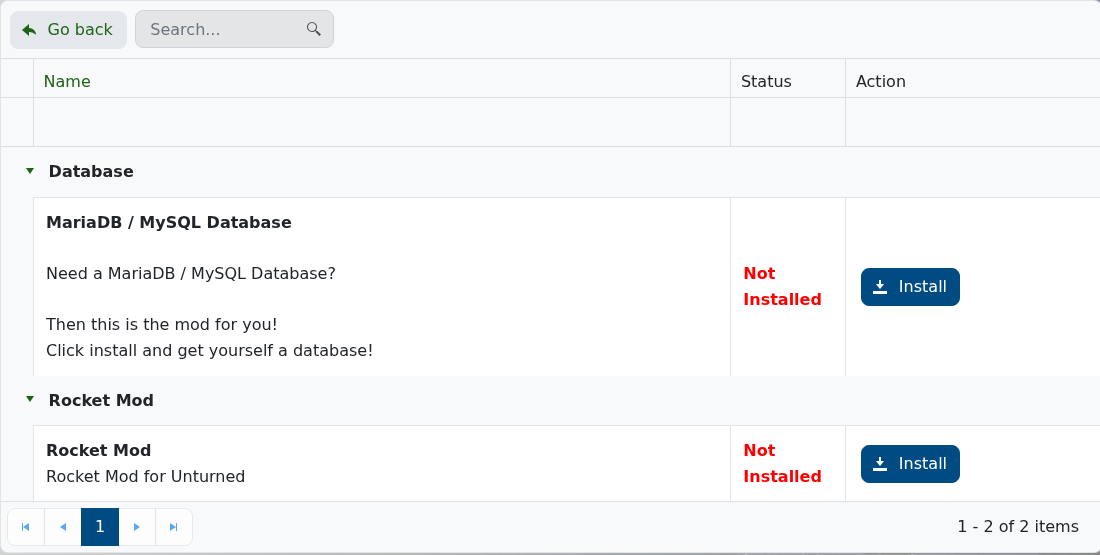
- Open Mod Manager.
- Find Rocket Mod.
- Click Install and confirm the prompt.
- Wait for the install task to finish.
- Start the server again.
- Open the console or log viewer and confirm Rocket loads without errors.
After installing Rocket
Install plugins one at a time and check the console after each change. If a plugin has dependencies, install those dependencies before starting the server.
Troubleshooting
- If Rocket does not load, return to Mod Manager and run the install again while the server is stopped.
- If one plugin breaks the server, remove that plugin first instead of deleting every plugin.
- If you are not sure where a plugin should go, submit a support ticket with the plugin download link and we can check it.
