The server name, join password and administrator password are stored in GameUserSettings.ini. Edit the file while the server is stopped so the running game cannot overwrite your changes.
- Open your Dark and Light service, take a backup and stop the server.
- Click Configuration Files, then Text Editor beside
GameUserSettings.ini. - Find
SessionName=and replace its value with the name players should see. - Set
ServerPassword=to the password players must enter when joining. Leave the value empty to run a public server. - Set
ServerAdminPassword=to a separate password for administrator commands.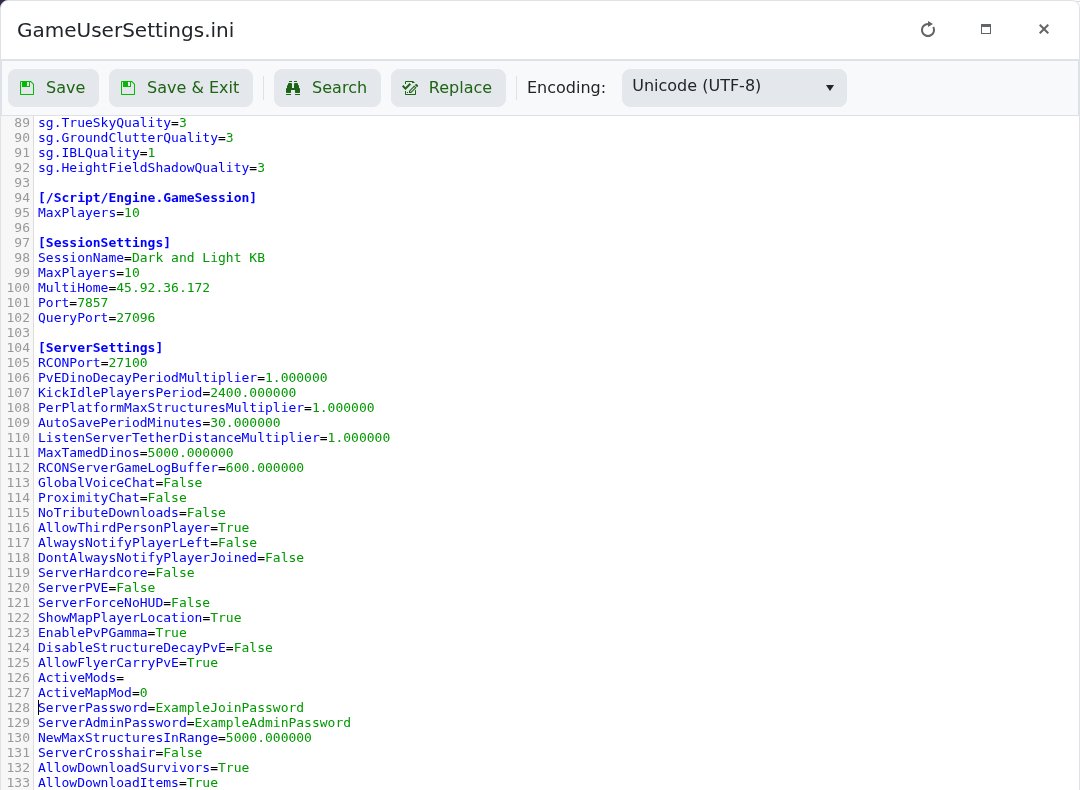
- Click Save & Exit, start the server and test the new details.
Do not reuse your LogicServers or Steam password. If an old name remains in the browser for a short time, connect directly while the listing refreshes.
