Conan Exiles stores the main world database in the Saved folder. On the current LogicServers TCAdmin setup the live database is named game_0.db, with related temporary files such as game_0.db-shm and game_0.db-wal.
- Stop your Conan Exiles server.
- For a normal panel restore, click Restore Backup, choose the backup zip, tick Are you sure?, then click Execute.
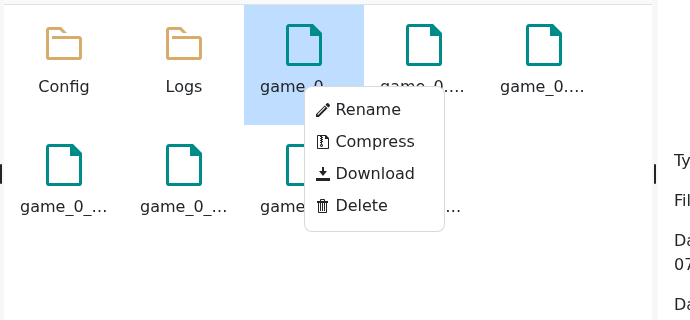
- If you need to restore a specific automatic world database manually, open File Manager.
- Open the
Savedfolder. - Right-click the current
game_0.dbfile and choose Rename. Rename it to a safe name such asgame_0_before_restore.db. - Find the automatic backup database you want to restore, for example
game_0_backup_1.dborgame_0_backup_2.db. - Right-click the chosen backup file, choose Rename, and rename it to
game_0.db. - Right-click
game_0.db-shmandgame_0.db-wal, then choose Delete if they are present. - Start the server and join to confirm the expected world state has restored.

If the server does not start after restoring, stop it and check that the live file is named exactly game_0.db. If you are unsure which backup file to use, submit a support ticket before overwriting more files.
