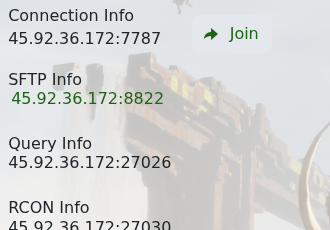
The most reliable way to join a Conan Exiles server is to use the address shown on the server home page. The control panel shows separate connection, query, SFTP, and RCON ports, so copy the correct one for the method you are using.
- Open your Conan Exiles server in the control panel.
- Check that the server status is Running.
- Copy the Connection Info address if you are joining directly, or use the Join button if your browser prompts you to open Steam.
- If direct join does not work, copy the Query Info address from the same page.
- Open Steam, then go to View > Game Servers.
- Open the Favourites tab and add the query address.
- Open Conan Exiles, use the server browser's favourites filter, select your server, and join.
If the server does not appear
- Refresh the in-game server list after the server has been online for a few minutes.
- Make sure you used the query port for Steam favourites, not the SFTP or RCON port.
- Check that your game client is updated to the same build as the server.
- If you still cannot connect, submit a support ticket with the connection address, query address, and the exact error shown by the game.
