The private server password is the password players enter when joining the server. It is separate from the admin password.
- Open your Conan Exiles server in the control panel.
- Click Configuration Files.
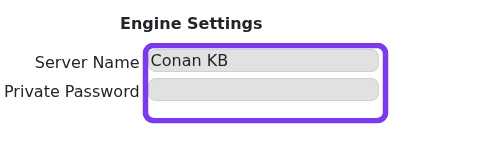
- Open Config Editor for
Engine.ini. - Enter the password in the Private Password field.
- Save the configuration.
- Restart the server.
- Join the server and confirm the password prompt appears.

If players can still join without a password
- Re-open
Engine.iniand confirm the private password value saved. - Restart the server again if the old server listing was cached.
- Make sure you did not edit
AdminPassword; that controls admin access, not joining. - Ask one player to close and reopen the server browser before retesting, as the listing may cache the previous password state.
To remove the join password later, clear the Private Password field, save the file, and restart the server. Keep the admin password separate so staff access is not exposed to every player who joins.
