The Valheim server name is stored in the server settings file. Change it from the server.bat Config Editor, save the file, then restart the server so the new name appears in-game.
- Open your Valheim server in the control panel.
- Click Configuration Files.
- Open
server.batwith Config Editor.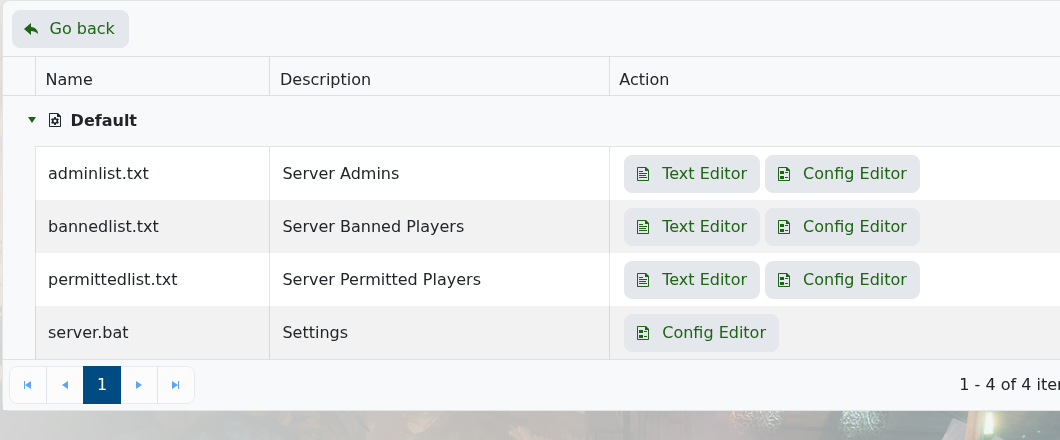
- Change Server Name.
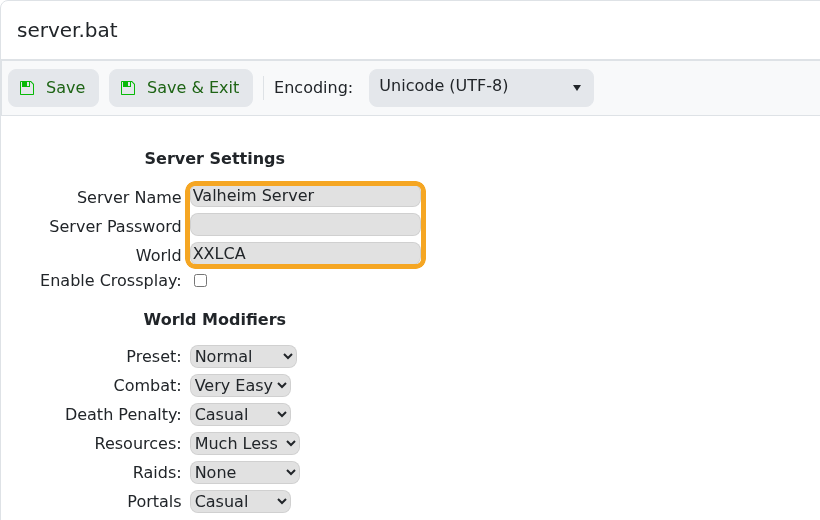
- Click Save & Exit.
- Restart the server.
Server lists can cache the old name briefly. Wait a few minutes and refresh the list if the previous name still appears straight after restarting.
After saving
Restart the server after changing public listing details. Some game server browsers cache names, descriptions, and banners, so the old value may show for a short time even after the server has restarted.
If the old value still shows
Check that the new value is still saved in the control panel, then refresh the in-game server browser or try direct connect. Avoid special characters until you have confirmed the basic change works.
