
The Valheim World field tells the server which world save to load. The value must match the world file name you want to use, without adding a file extension.
- Take a backup first if the current world matters.
- Open your Valheim server in the control panel.
- Click Configuration Files.
- Open
server.batwith Config Editor. - Change World to the world name you want the server to load.
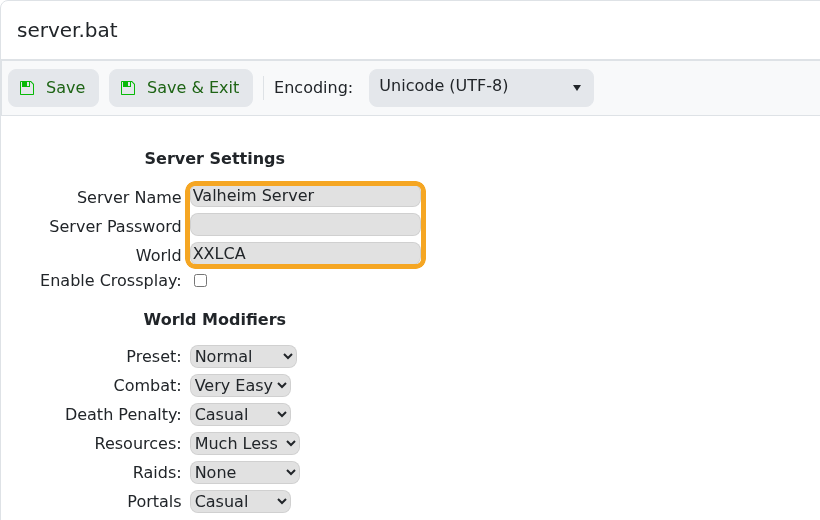
- Click Save & Exit, then restart the server.
If the world name does not match an uploaded save, Valheim can generate a new world with that name. Check the save files before restarting if you are trying to load an existing world.


