How to join your The Forest server

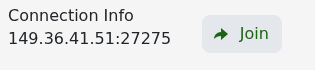
When The Forest is running, the quickest route is the Join button beside the service's game address.

  1. Open the service and wait for the status to show Running.
  2. Click Join beside Connection Info.

    The Forest server Connection Info and Join button

  3. Allow your browser to open Steam, then connect in The Forest.

To add the server manually, open Steam's game-server window, choose Favourites and add the query address shown in the panel. The query port is listed separately from the game port. Start The Forest, open its dedicated-server browser and filter to favourites.

If the server is missing, wait a few minutes after startup and refresh. Confirm that the server and your copy of The Forest are updated, and enter the join password exactly if one is configured.

  • 1 Users Found This Useful
Was this answer helpful?

Related Articles

How to configure your The Forest server settings

The Forest keeps its name, passwords, save slot, difficulty and gameplay options in server.cfg....

How to wipe your The Forest server

The current The Forest package does not have a separate Wipe Server button. A fresh world is...

How to become an admin on your The Forest server

The Forest uses an admin password rather than a list of player IDs. Anyone who knows this...

How to change The Forest save slot and autosave interval

The slot setting chooses which of five world saves the dedicated server loads....

How to install ModAPI on your The Forest server

The panel can install the dedicated-server version of ModAPI. Back up first: this changes game...