Take a backup before changing maps, passwords, configuration files or installed server files. TCAdmin stores the backup so it can be selected later from Restore Backup.
- Open your Mordhau server in the control panel.
- Stop the server if players are online or you are about to change files.
- Click Backup Server.
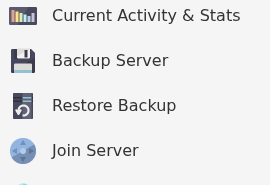
- Confirm the action if prompted, then wait for the backup task to finish.
- Open Scheduled Tasks if you want to confirm the latest automatic backup completed successfully.

Do not make destructive changes until the backup task reports that it completed. For an extra off-site copy, download important configuration or save files through File Manager or FTP.
