Set a join password when you want only invited players to enter your Mordhau server. This is separate from the admin password.
- Open your Mordhau server in the control panel.
- Click Configuration Files.
- Click Config Editor beside
Game.ini. - Enter the required password in Server Password.
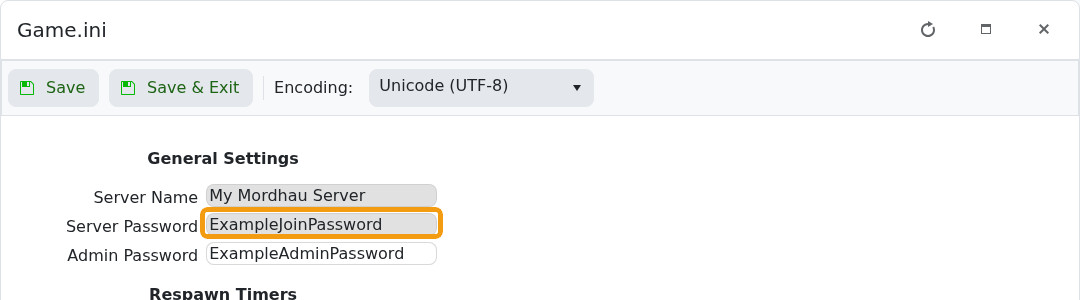
- Click Save & Exit, then restart the server.
- Join once and confirm Mordhau asks for the new password.
To make the server public again, clear Server Password, save, and restart. Do not use your LogicServers client-area password as a game password.
