The Game.ini Config Editor controls Mordhau's map rotation, game modes, respawn timers and damage multipliers. Change one group at a time so it is easy to reverse a setting that does not suit your server.
- Open your Mordhau server in the control panel.
- Take a backup, then click Configuration Files.
- Click Config Editor beside
Game.ini. - Change the required values under Respawn Timers or Damage Factors. A value of
1is normal damage; values below1reduce it and values above1increase it.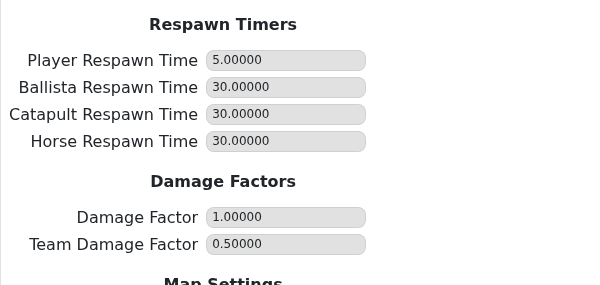
- Under Map Settings, choose the Game Mode and Map for each rotation entry.
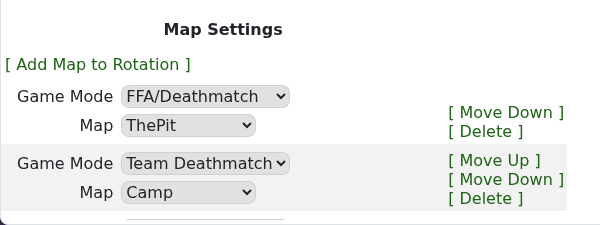
- Use Add Map to Rotation to add another entry, Move Up/Move Down to change its order, or Delete to remove it.
- Click Save & Exit, then restart the server.
- Join and confirm the first map, mode and gameplay values behave as expected.
Good starting points
- Keep Damage Factor at
1unless you deliberately want faster or slower kills. - Use a lower Team Damage Factor when friendly-fire griefing is a problem.
- Keep a short rotation while testing, then add more maps once each mode has loaded correctly.
